We want to give them the relevance they deserve, which is why Groups are now integrated as a new organizational level within the Employees section. From now on, organizing and assigning groups to your team will be much more practical and flexible.
What are Groups for? They allow you to organize your employees freely, without depending on fixed structures like workplaces or departments. You can group people from different areas based on whatever you need: projects, roles, location… you decide!
Here’s how, in addition to workplaces and departments, you can now also manage Groups directly from the Employees section.
Three new ways to manage and assign Groups
From the employee profile
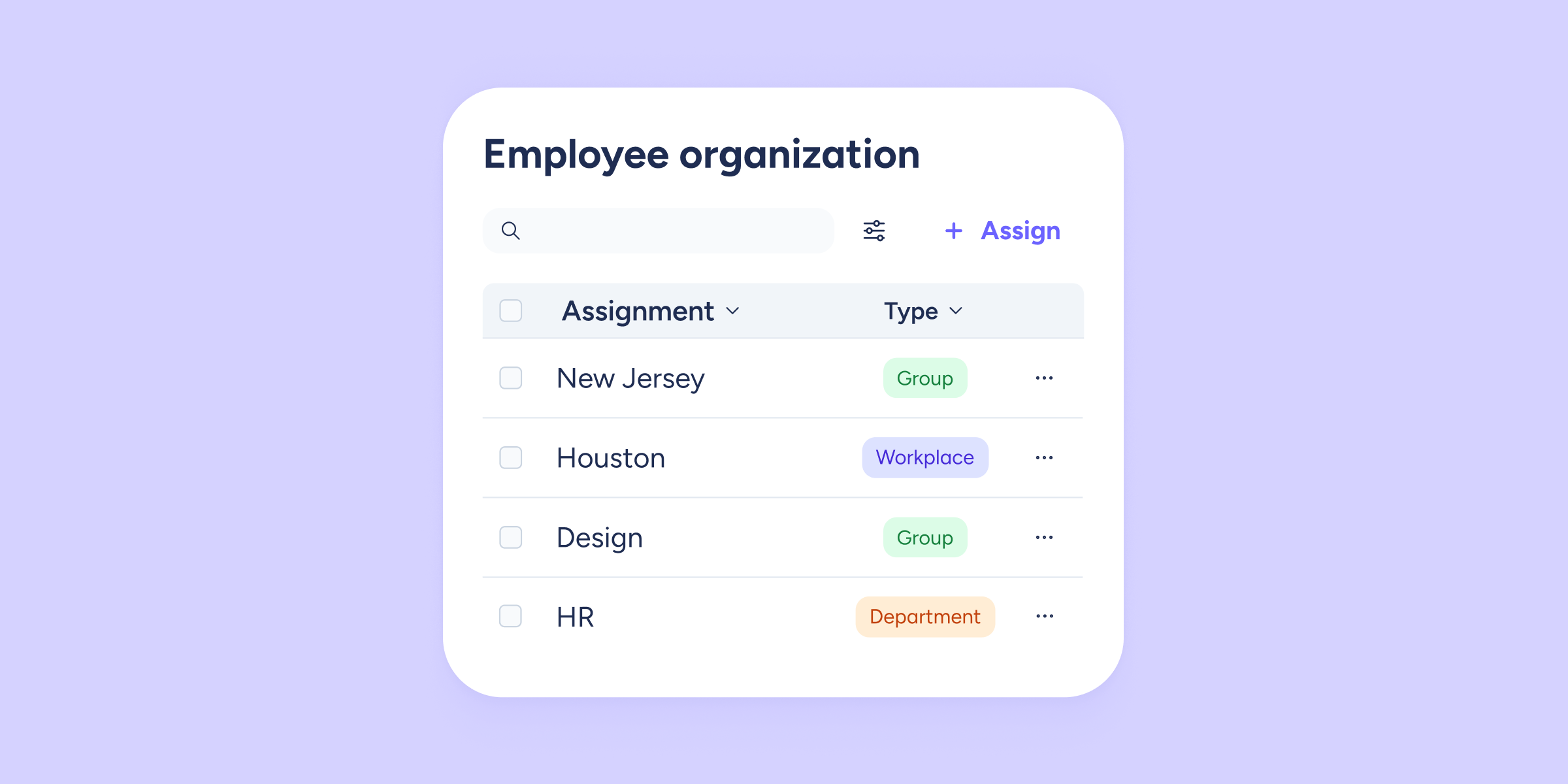
You can now assign or remove groups directly from each employee’s profile. Just go to: Employment data >> Employee organization.
This section has been completely redesigned:
- A more visual, centralized assignment view for groups, workplaces, and departments.
- Quick search by group name.
- New filters so you only see what you need: workplaces, departments, or groups.
From the employee list
You can now view assigned groups directly from the main employee list in the Employees section, and edit them from there as well.
Don’t see the Groups column? Go to the top of the section, click “Template configuration”, and enable the “Groups” option.
When creating employees
When creating a new profile from Employees >> Create employee, you can assign a group right away. This saves time and helps you keep everything organized from the very beginning.
Start creating and managing your Groups today. With this improvement, you’ll be able to organize your team in a more dynamic way, fully adapted to your needs. Explore this functionality and design the organizational structure your company deserves!