Is it hard to get clear visibility over what you’re assigning? If the assignment process feels overwhelming, costs you time, and leaves you unsure whether everything is correct, we’ve created a solution, and we explain it below.
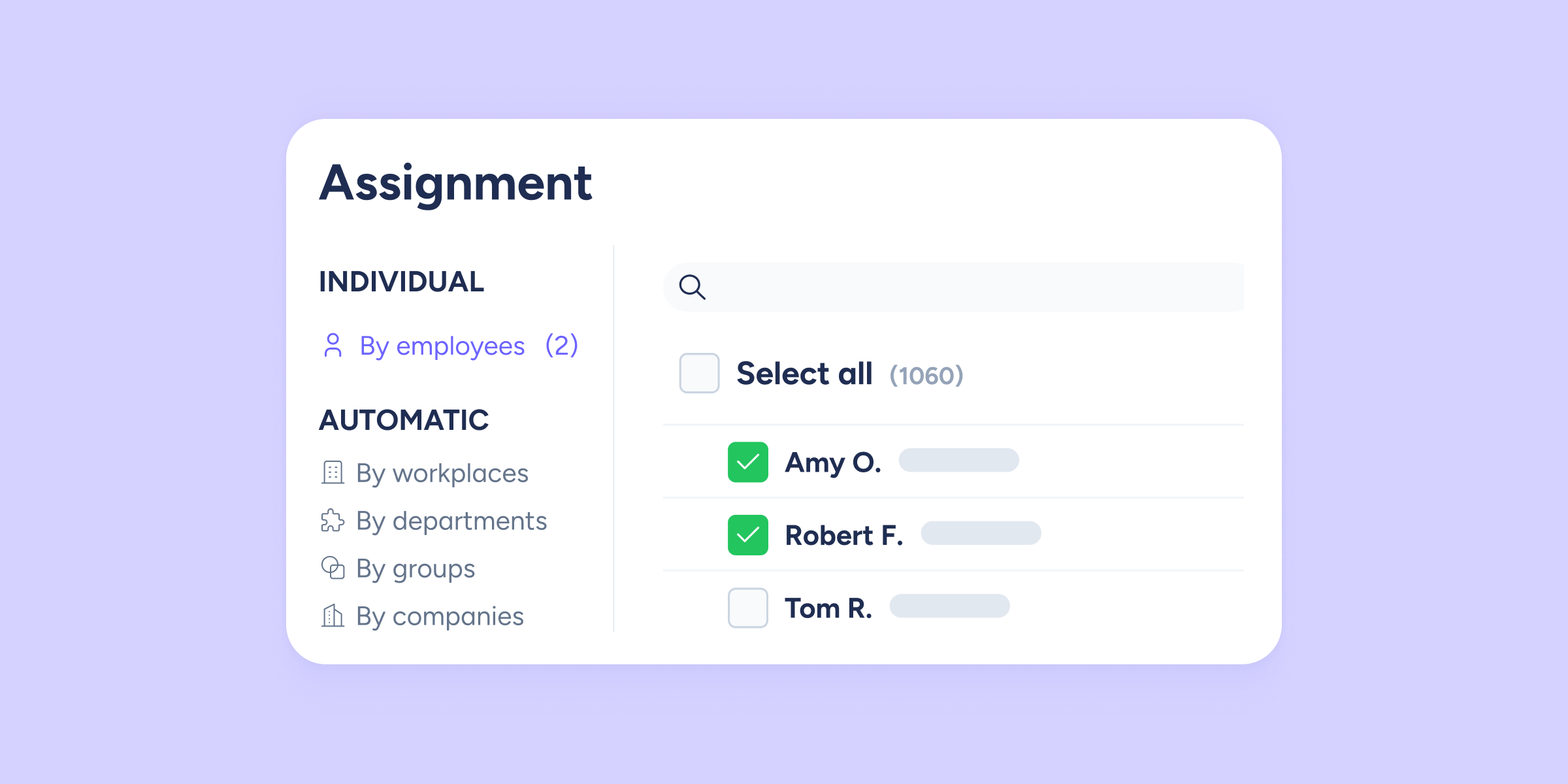
We redesigned the assignment view so you can distribute time off, tasks, or roles, for example, in a more complete, simplified, and, best of all, automated way.
We will roll out this change gradually, because we want you to feel comfortable and understand how to use the new version of the modal before we integrate it into every section.
If you’re worried this redesign might affect your previous assignments, rest assured: everything will remain the same. Keep reading for all the details.
Your assignments: How do previous ones fit with the new ones?
All the assignments you’ve already created will stay in the same place; the only change you’ll notice is visual and aesthetic.
For now, this new version of the modal will be available in the following places:
- Configuration >> Calendars >> Time off >> Assign employees
- Configuration >> Schedules >> Clock in/out types >> Assign employees
- Documents >> Shared >> Assign employees
- Surveys >> Employees >> Assign employees
- Expense control >> Configuration >> Validators >> Assign employees
- Training >> Assign employees
In each of these four sections you first need to define the time period (start and end dates). Once that’s done, you can assign employees:
- Configuration >> Calendars >> Public holidays >> Add period >> Assign employees
- Configuration >> Company >> General supplements >> Add period >> Assign employees
- Configuration >> Schedules >> Working day >> Add period >> Assign employees
- Configuration >> Company >> Benefits >> Add period >> Assign employees
What are assignments and what are they used for?
Assignments in Sesame let you decide which employees or groups you want to add, for example, time off, shifts, tasks, evaluations, goals, etc.
Thanks to the new modal, assignment distribution can be done in an organized and easy way.
For example, if you want to assign the same time off policy to a single person, you can do it with individual assignment. But if you need to assign that same time off to several people or even in bulk, automatic assignment, which we explain below, will be very useful.
We redesigned assignments, now also automated
Because your time is gold, in addition to redesigning the modal, we improved assignments in Sesame.
Alongside individual assignment, you can now manage assignments in bulk and automatically.
Automatic assignment means that, when assigning by workplaces, departments, groups, or companies, all current and future employees will receive the same assignments; you won’t have to do it one by one.
You can also apply filters to make the process easier and faster.
In short, thanks to this redesign you’ll be able to manage all your assignments in a way that is much more:
- Fast
- Intuitive
- Simple
- Complete
- Automated.
Start trying out the new assignment modal in Sesame, more intuitive and complete than ever. We explain step by step how to use automatic assignment in our Help Center.