You define the rules: minimum and maximum days per request

Until now, an employee could request holidays or an absence for any period they chose, even if your company’s policy set different conditions, a 15-day marriage leave split across several periods, or single-day holidays when you need to organise larger rest blocks. This could mean reviewing and correcting requests one by one.
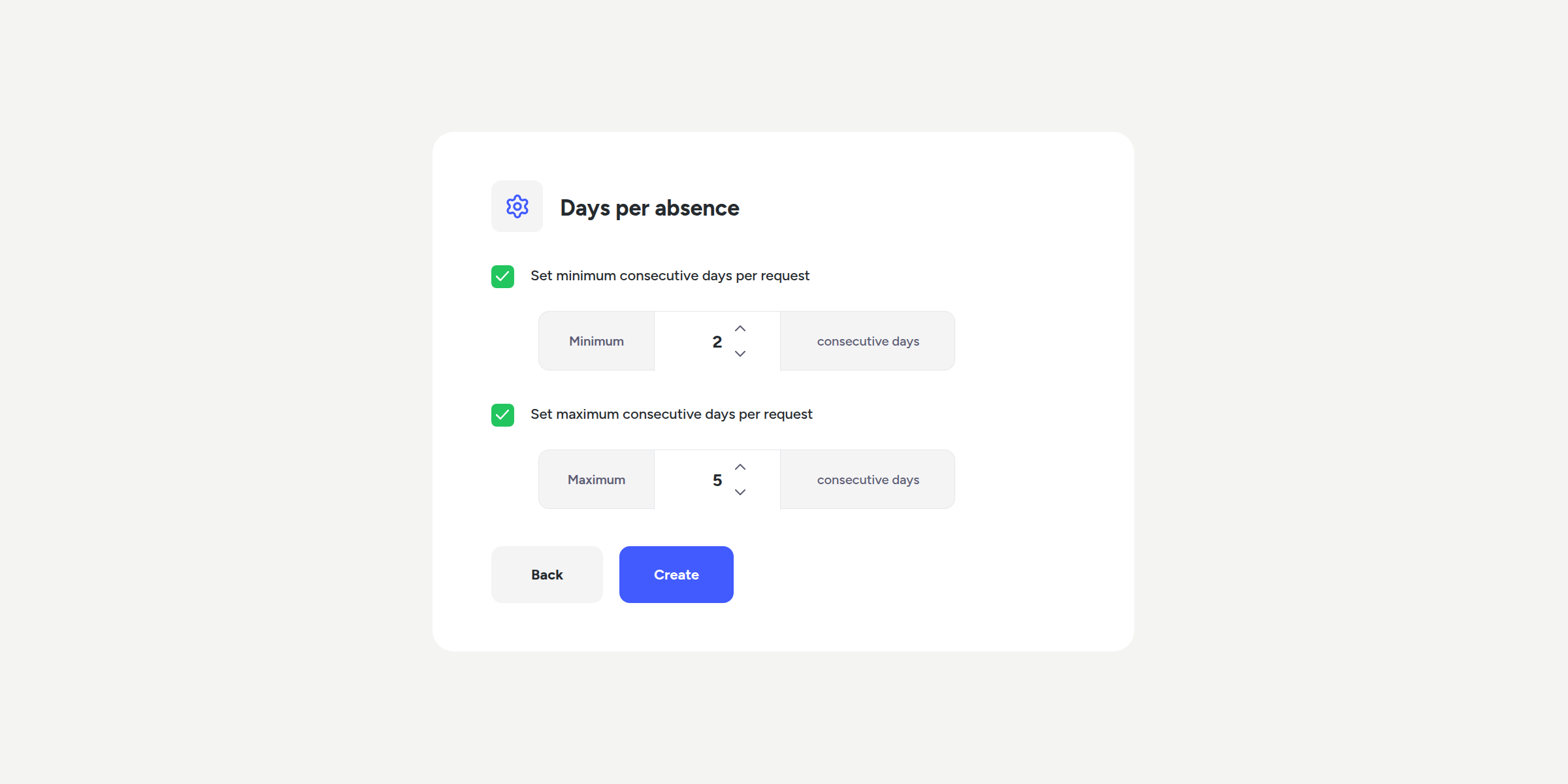
You can now define a minimum and maximum number of consecutive days per request, for both absences and holidays, and the system will apply these conditions automatically.
What can you do with this update?
- Require an exact number of consecutive days. For example, a 15-calendar-day marriage leave, no more, no less.
- Define a range, such as a minimum of 2 and a maximum of 10 days, for absence types that need some flexibility within set limits.
- Set minimum holiday blocks, for example, 5 consecutive working days, to make shift planning easier.
- Add a description to each absence type so your team knows the conditions without having to look them up separately.
- Configure absence types whose days regenerate each time the qualifying reason occurs, such as a hospitalisation, rather than depending on a fixed annual limit.
Please note
- The rule only applies when the employee submits a request. If you or another administrator assigns the days directly, this configuration will not apply.
- If you allow half-day requests, that option will continue to work as usual: the minimum and maximum only apply to full-day requests.
- All your current configurations will continue to work in the same way. The new rule is disabled by default and will only apply if you choose to enable it.
Start defining your own rules from the configuration of each absence and holiday type. You’ll find all the details in our Help Center.
Available on
Starter
Time
Professional
Enterprise
All updates
Go back to the list and discover the rest