Find any clock in/out request in seconds 🔍
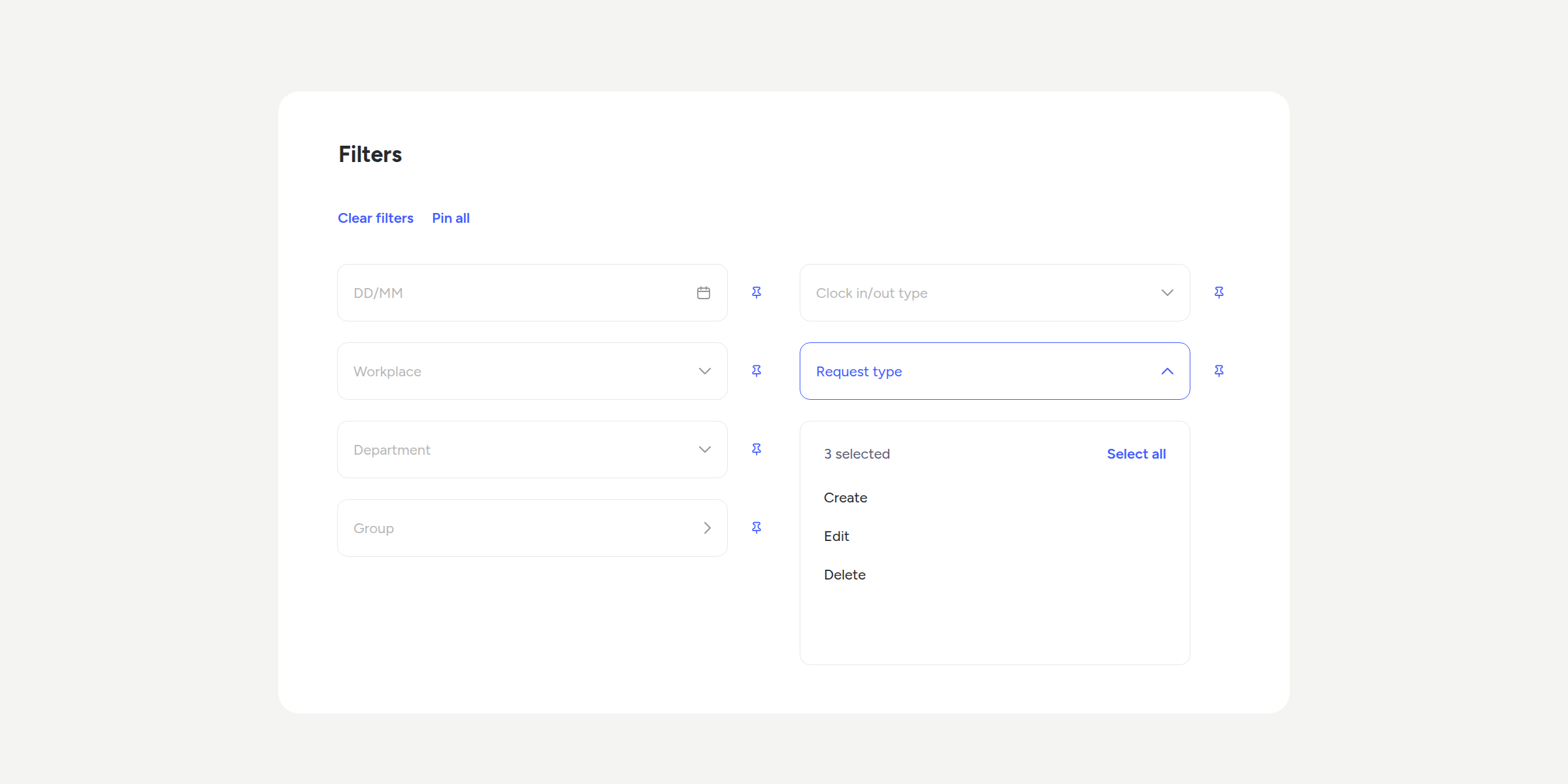

No more scrolling through endless lists to find a request. You can now filter and search directly in Clock in/out requests, both in pending requests and in the history.
What can you do with the new filters?
- 🏢 Filter by workplace, department, or group: narrow down the list to your organisational structure in one click.
- 📋 Filter by request type: focus only on Create, Edit, or Delete requests.
- 🔎 Search by employee name: type and find their requests instantly, with no need to press anything else.
- 📌 Pin your favourite filters: save them once and they’ll be ready every time you open the section.
Please note
- Pinned filters are personal: each user saves their own, without affecting other company administrators.
- The selectors will only show the workplaces, departments, or groups you already have access to manage.
Say goodbye to manual searches and find exactly what you need, when you need it. You’ll find all the details in our Help Center.
Available on
Starter
Time
Professional
Enterprise
All updates
Go back to the list and discover the rest