Your employees receive their worked time summary, no need to send it manually
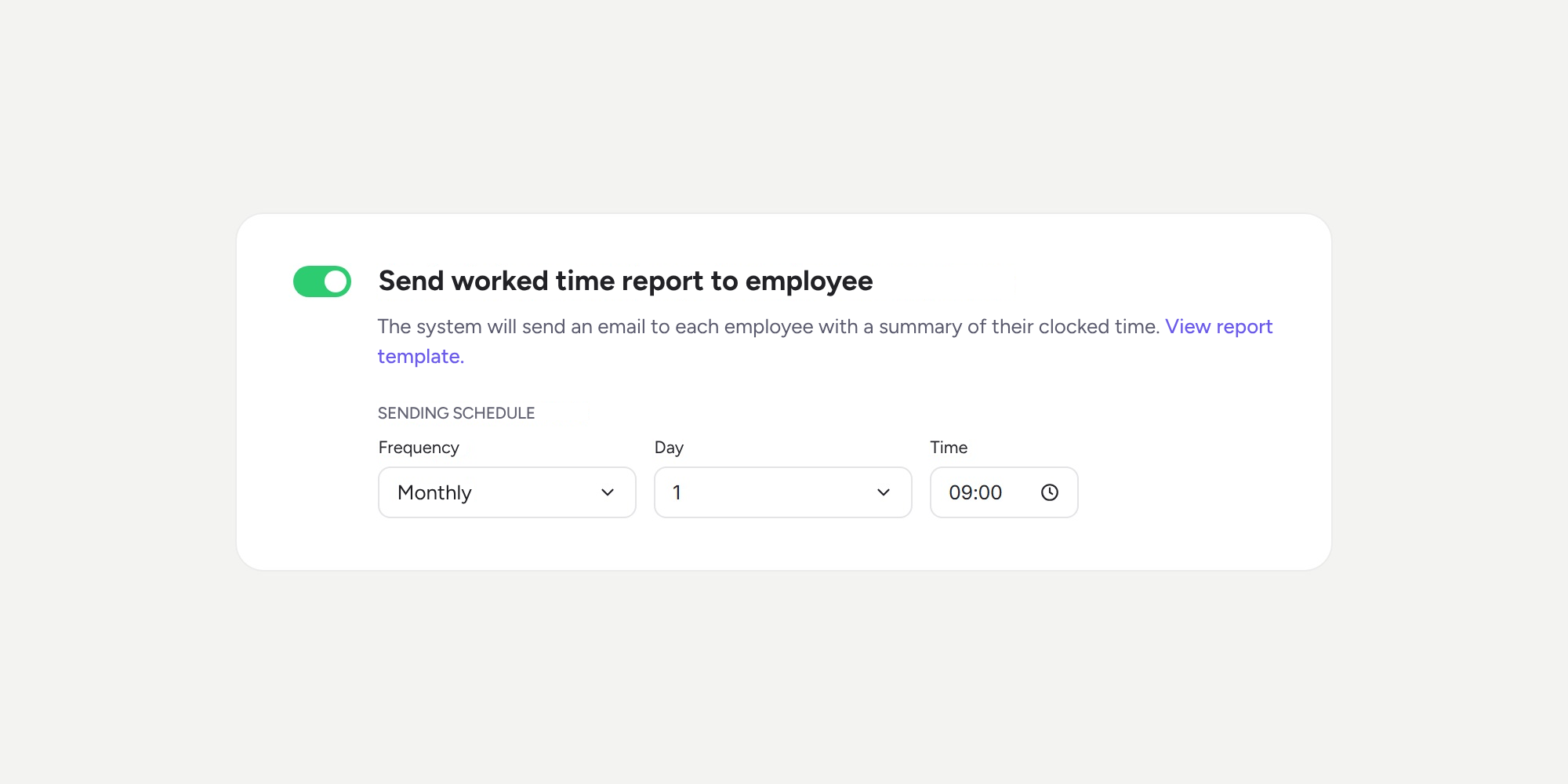

Exporting each person’s clock ins/outs and sending them out every month is now a thing of the past. With the new “Send worked time report to employee” automation, Sesame sends each employee an email with a summary of their hours, at the time you choose 📩.
What can you do with the automatic report? ⏱️
- Schedule it to suit your needs. Choose the frequency (daily, weekly, fortnightly, or monthly), the day, and the time. You can also align it with your payroll cycle.
- Enable it for the entire company or by department. Each department can have its own configuration and schedule.
- Give everyone a clear record. The report includes theoretical time, working time, the balance for the period, and the year-to-date balance. It also shows a breakdown of each day, clock in/out by clock in/out, with its type, mode, and breaks.
- Preview the template before enabling it. Click “View report template” to see how your employees will receive it.
- Automate the follow-up. In each period, the report is sent only once per employee, and the email arrives in the language configured for each person.
📍 Where to find it: Configuration >> Automations >> Notifications. It’s the card between the end-of-day reminder and the email for each clock in/out.
Please note 💡
- The automation is disabled by default. To start sending reports, enable it and set the sending time.
- The report is for information only: it doesn’t approve or block any clock in/out, so it works independently of clock in/out validation.
- If you choose a monthly frequency and the selected day doesn’t exist in that month (for example, the 31st), the report will be sent on the last day of the month.
- Employees who don’t have an email address set up will not receive the report.
Discover how easy it is to share a clear summary of working time with your team, ready to view and keep. You’ll find all the details in our Help Center.
Available on
Enterprise
All updates
Go back to the list and discover the rest