No more clock ins/outs blocked by overlaps
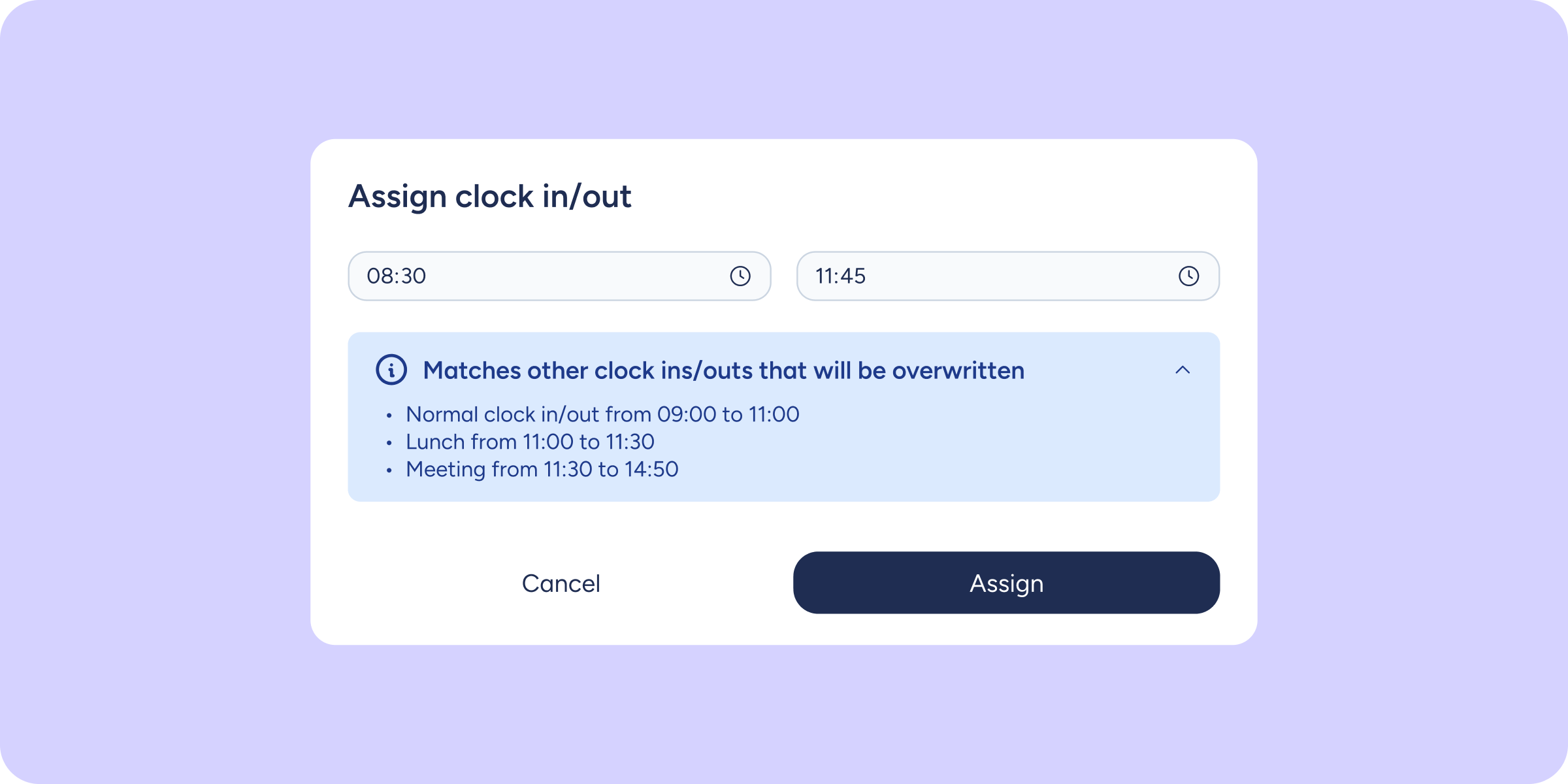

Until now, if you tried to assign or edit a clock in/out that overlapped in time with an existing one, the system would block the action. This meant having to delete it and recreate it manually, with the risk of losing historical data.
Sesame can now resolve these overlaps automatically.
What can you do now?
Assign or edit clock ins/outs even when they overlap with others: if the new clock in/out overlaps with an existing one, Sesame will automatically adjust the previous one, trimming it, splitting it into segments, or replacing it as appropriate, and will display an alert before saving so you can confirm the change.
Request a clock in/out over an already logged time slot: you’ll see an informational alert and, once the request has been approved, Sesame will automatically adjust the affected clock in/out.
View each adjustment in the history: check who made the change, when it was made, and what the reason was.
Please note
If you already have a pending request for a given time slot, you will not be able to submit another one that overlaps with it. Sesame will alert you, and you will need to resolve the previous request first under “My requests”.
Companies operating in Chile have an additional validation due to legal requirements: employees receive an email notification and have 48 hours to reject the change before it is applied. All other companies can enable this option voluntarily from the Clock ins/outs settings.
Discover how automatic overlap resolution works and manage your team’s clock ins/outs with fewer manual steps. Find out more in our Help Center.