Set up a new employee from day one
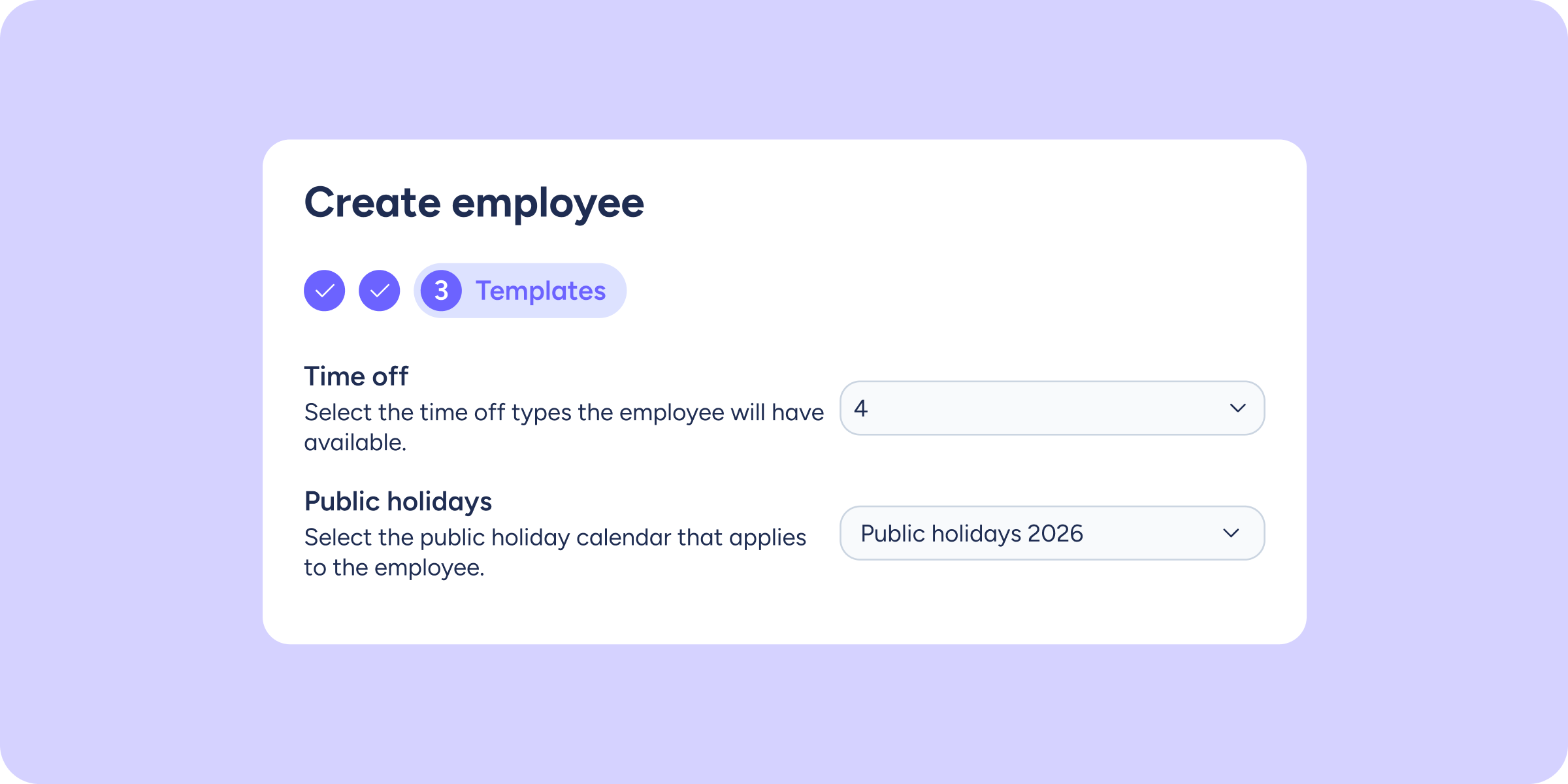

Creating an employee in Sesame and then having to go back to their profile to assign a public holiday calendar and the available time-off types meant an extra step. When you’re managing a high volume of new hires, that time adds up.
You can now configure everything directly during the creation process, without leaving the flow or going back.
What can you do with this improvement?
- Assign the public holiday calendar during onboarding: select the employee’s relevant calendar at the same moment you create them, with no need to access their profile afterwards.
- Configure time-off types from day one: define which time-off types they’ll be able to request before they start using the platform.
- Avoid provisional configurations: no more leaving the company defaults and adjusting them manually later.
Please note
- This option is available within the employee creation flow, in the configuration steps.
- If you don’t select a calendar or any time-off types during onboarding, Sesame will apply the company’s default settings.
Find the step-by-step guide in our Help Center.
Available on
Starter
Time
Professional
Enterprise
All updates
Go back to the list and discover the rest