Instant alerts when you clock in/out during time off

Have you ever clocked in/out without remembering that you had an approved time-off request for that day? Until now, these situations could go unnoticed until HR reviewed the data later, creating inconsistencies between working time and logged time off.
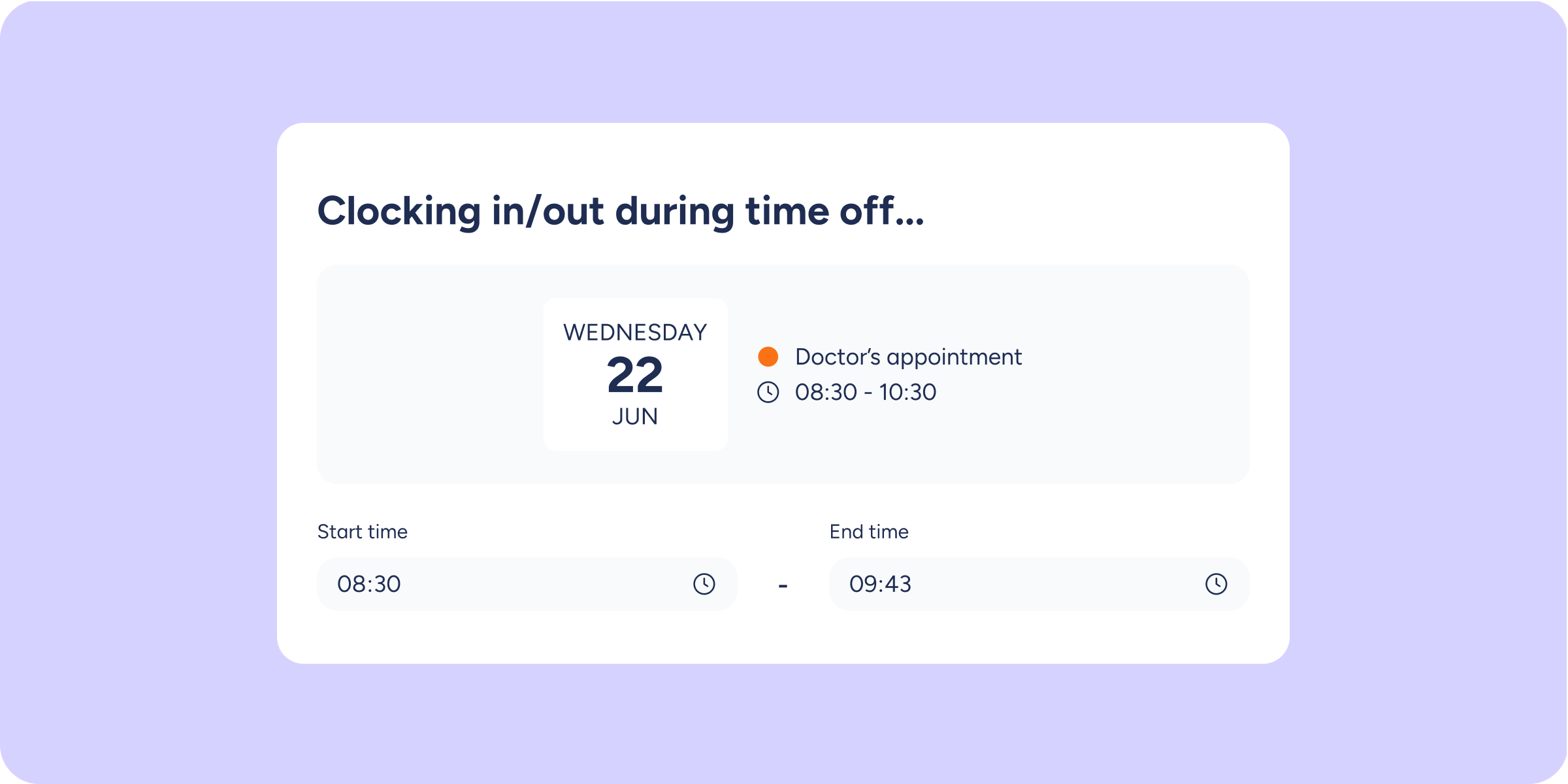
Sesame now alerts you the moment you clock in or out during a time-off period, so you can correct it straight away.
4 reasons you’ll love this
Instant alert: if you clock in or out during a period with an approved time-off request, you’ll see an alert immediately.
Information filled in automatically: the system displays the day, the name, and the colour of the time-off type, along with the hours calculated based on your clock in/out.
Correction based on your configuration: if you can manage your own time off, you’ll be able to edit it directly. If it requires approval, you’ll be able to request the change.
Without blocking the clock in/out: the alert is informational, so your working time record will be saved even if you decide to correct the time off later.
Your working time and your time off, always aligned
This improvement helps prevent the same period from being counted simultaneously as working time and as time off, reducing inconsistencies in balances, working hours, and reports.
By receiving the alert at the moment of clocking in or out, you can resolve the issue quickly and reduce manual reviews by the HR team.
Key features
Overlap alert: appears when clocking in or out in real time, both on the web version and in the app.
Action based on your access: the button will show “Edit” or “Request” depending on whether you can manage the time off directly.
Maximum time alert: when editing, if you exceed the permitted limit for the time-off type, you’ll see a warning before saving.
Keep your working time and time off always up to date and free of inconsistencies.