Hybrid clock ins/outs: automatically configure when each period starts counting
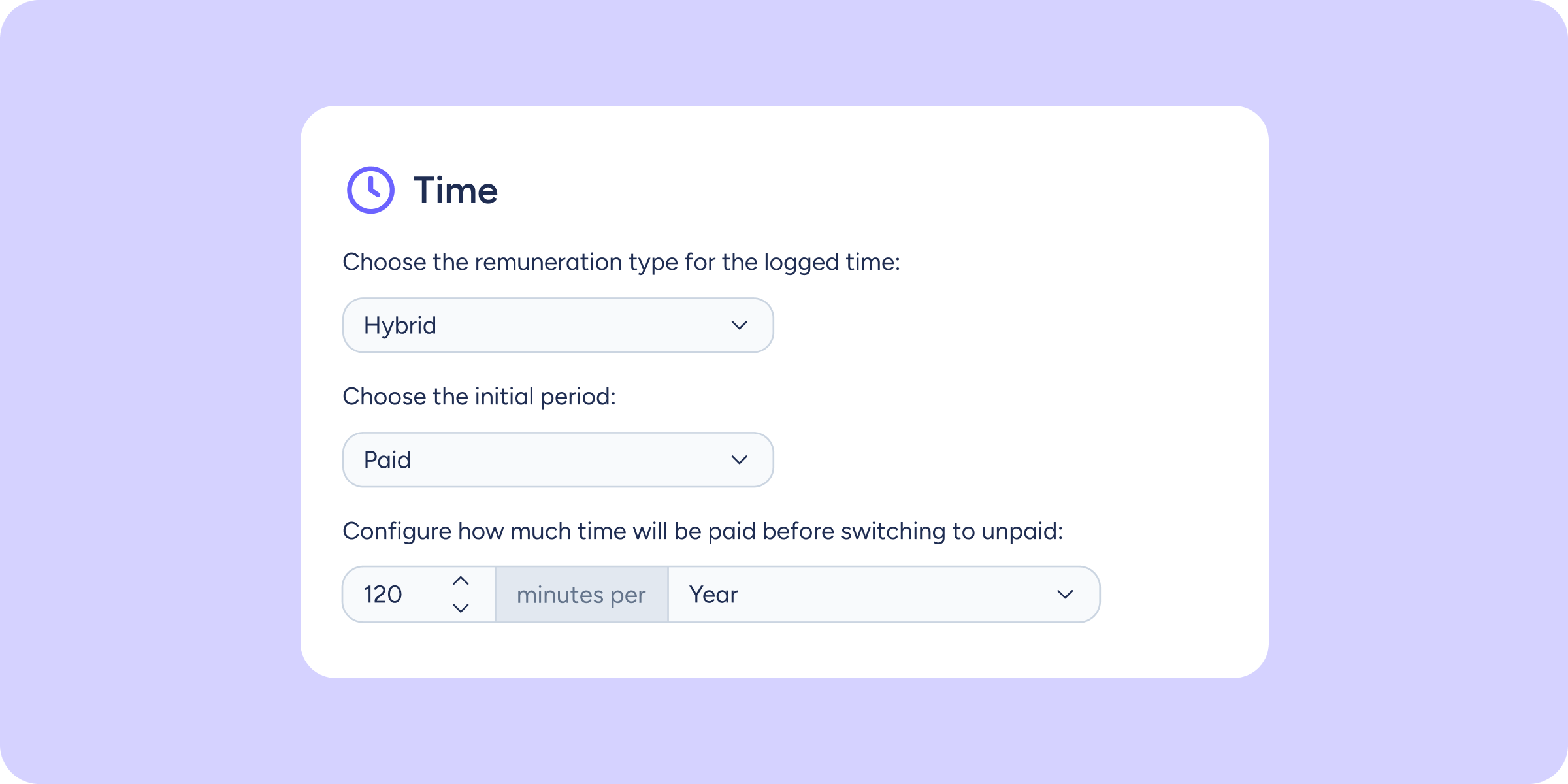

Managing clock in/out types with different time limits could depend on each person switching types at exactly the right moment. You can now configure, within a single clock in/out type, an unpaid period and a paid period, with a maximum limit that is applied automatically.
What can you do with this improvement?
- Configure a time limit per period: when the unpaid period’s time runs out, the clock in/out automatically switches to the paid period, and vice versa.
- Reduce manual management: employees no longer need to switch clock in/out types manually; Sesame applies the change automatically according to the configuration.
- Adapt it to each team’s needs: useful for situations such as travel or other activities that have a different pay treatment depending on the time logged.
Please note
- This configuration is done from the Clock in/out types section when creating or editing a type.
- The switch between periods is applied automatically when the configured limit is reached.
Find all the steps for configuring it in our Help Center.
Available on
Time
Professional
Enterprise
All updates
Go back to the list and discover the rest