Assign multiple time-off types to several employees at once

Until now, assigning time off to multiple employees meant going through each profile one by one, or repeating the process for each time-off type. If you manage large teams, you know how long it takes to configure time off for an entire department, shift, or group of new joiners.
Reasons you’ll love this update
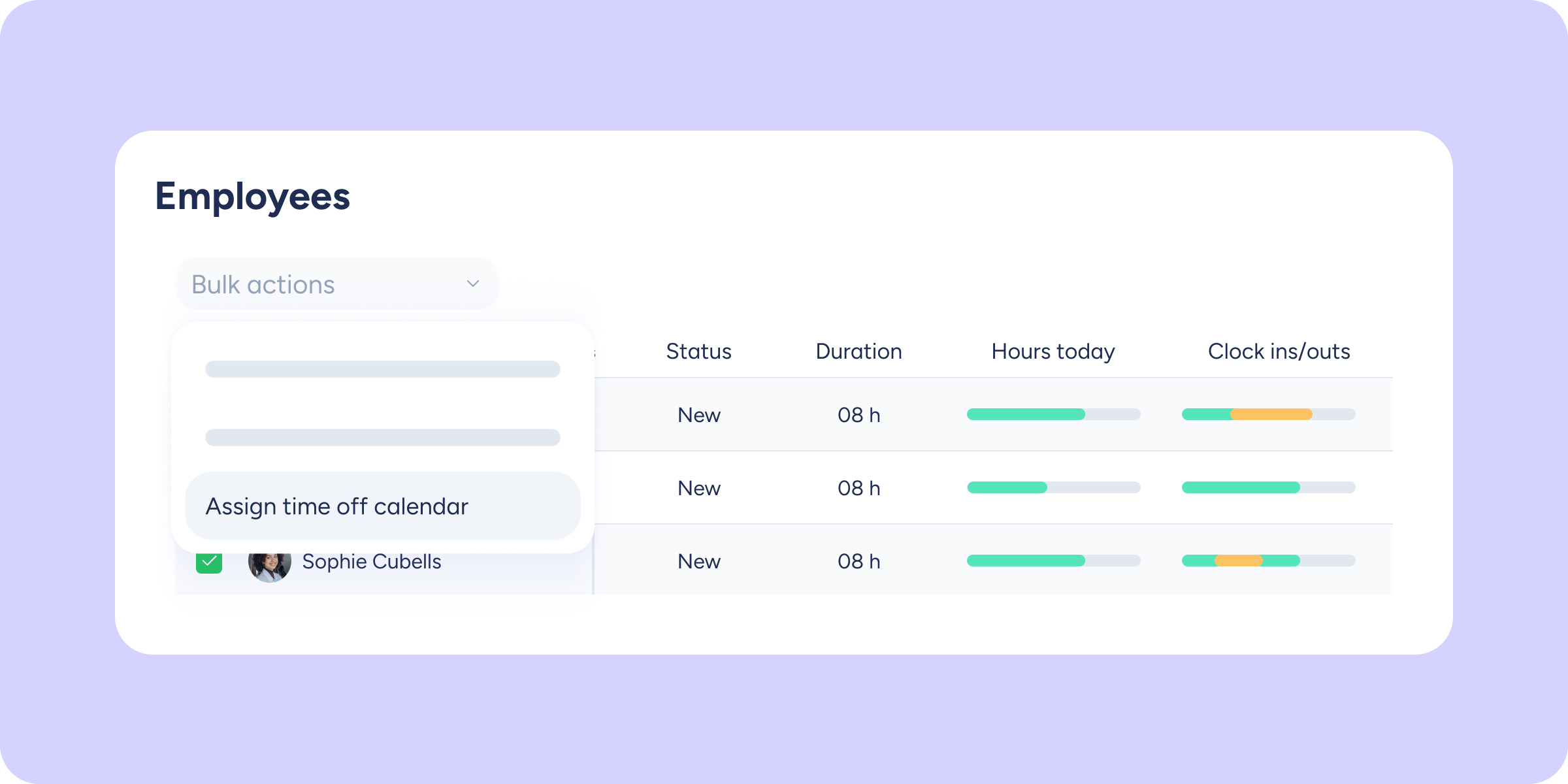
Bulk and flexible management: select as many employees as you need and assign them as many time-off types as you want in a single action from the Employee panel.
Zero repetition: forget about going profile by profile or submitting one request per time-off type. Configure the entire selection in one go.
Access permissions respected: the dropdown will only show the time-off types you are authorised to manage, preventing incorrect or erroneous assignments.
The experience you already know: the assignment flow follows the usual structure, so there’s no learning curve.
Save time on every task
With “Assign time off calendars” within “Bulk actions” in the Employee panel, assigning different time-off types to an entire team goes from being a tedious task to a matter of seconds.
Plus, if any employee already had one of the selected time-off types assigned, the system handles it intelligently without creating duplicates or errors.
Key features
Multiple employee and time-off selection: choose your team members and apply all the necessary time-off types in a single batch.
Time-off filter by access: the search bar only shows the time-off types you are authorised to manage.
Confirmation with real-time feedback: receive instant confirmation of the operation’s success across the entire selection.
Try bulk assignment and simplify the management of your team!