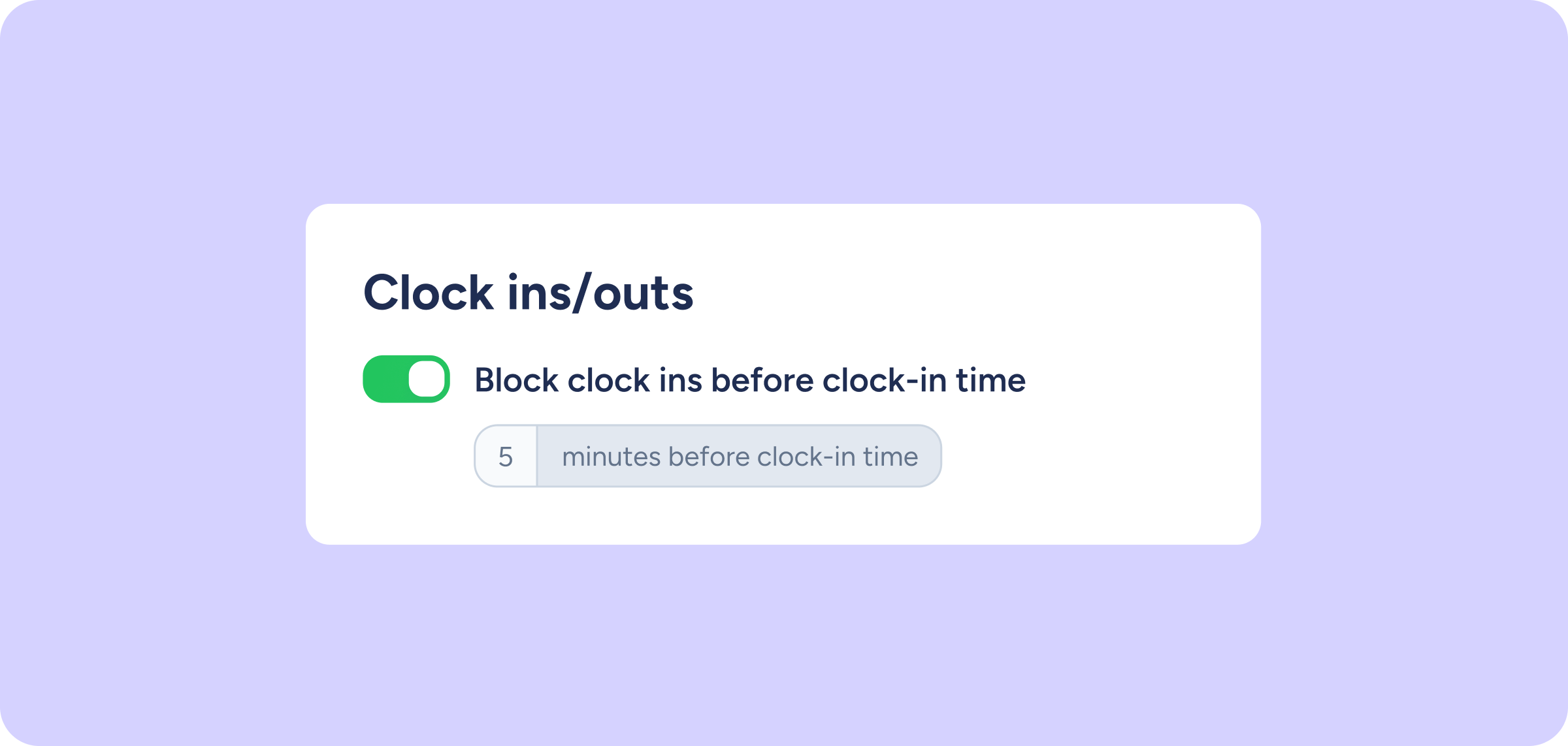
Now you can define how many minutes before clock-in time will be blocked

Until now, clock-in blocking only applied at the exact clock-in time, with no way to control the time leading up to it.
From now on, you can also define a time margin before the clock-in time during which clocking in will not be allowed.
What’s new?
–Configurable blocking margin
You can now specify how many minutes or hours before the clock-in time clocking in will be blocked.
For example, if the clock-in time is 09:00 and you set a 15-minute block, no employee will be able to clock in before 08:45.
The block applies to any type of clock in/out, whether paid or unpaid time.
–Alert message across all devices
If an employee tries to clock in during the blocked period, they’ll see an on-screen message explaining the restriction, whether from the mobile app, the browser, the tablet in kiosk mode, or any other clocking in/out channel.
–Shift/schedule assignment before clock-in time is still available
This restriction only affects clocking in. Assigning shifts or schedules before the clock-in time continues to work as usual.
How does it work?
- Go to Configuration >> Automations >> Clock ins/outs.
- Enable the “Block clock ins before clock-in time” option.
- Define the time (in minutes or hours) during which clocking in will remain blocked before the scheduled time.
- Save the changes. The restriction will apply automatically from that moment on.