A new option is now available that will be extremely useful and save you extra work when managing your team’s working time.
A few weeks ago, we introduced overtime validation so you could decide whether to enable it or not, giving you the option to approve or reject overtime before it was recorded by the system. Now, we’re going one step further and offering automatic overtime validation.
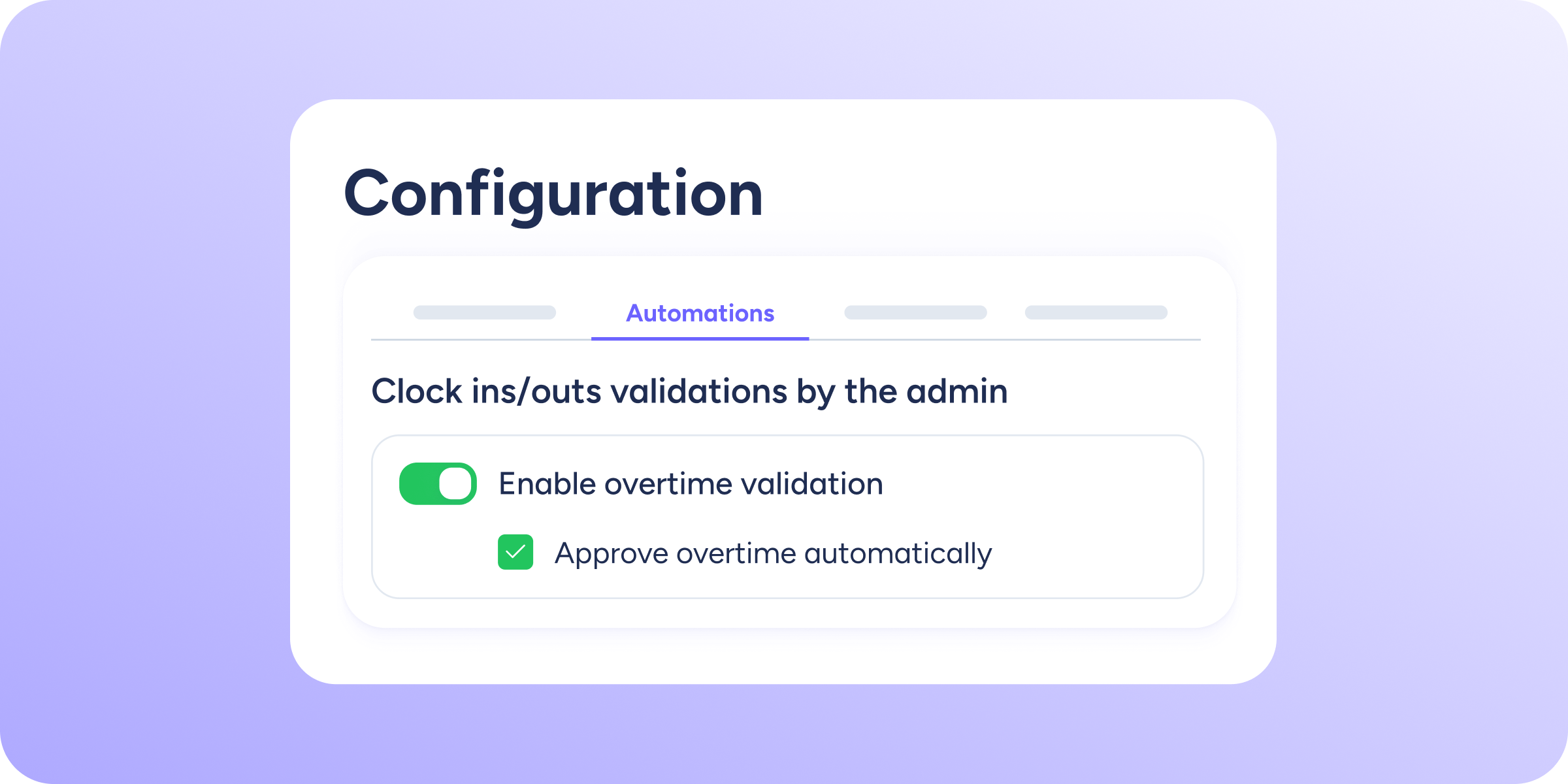
You can enable it by ticking a checkbox located in this path: Configuration >> Automations >> Validations >> Clock ins/outs validations by the admin. There, the option Approve overtime automatically will appear. This feature is available for administrators and managers.
What advantage does automatic overtime validation offer administrators and managers?
A significant saving of time and effort! For you, as an administrator or manager, if you enable automatic overtime validation, whenever you create or edit a clock in or clock out for an employee that results in overtime, you will no longer need to validate that overtime manually. It will be validated automatically, and the system will immediately account for it.
The same will happen every time you edit or create a clock in/out for an employee from the moment you activate automatic validation. Keep in mind that automation will only apply from the moment the option is enabled. It does not work retroactively.
This means that any pending overtime requests, whether for past or future clock ins/outs, submitted before activation must still be managed manually by the manager.