Your downloads, always at hand in the side menu

Have you ever generated a file from Tasks or Clock ins/outs and had to dig around to find it? Until now, all exports landed inside the Reports module, not the most intuitive place if you didn’t have that module or simply didn’t expect your files to end up there.
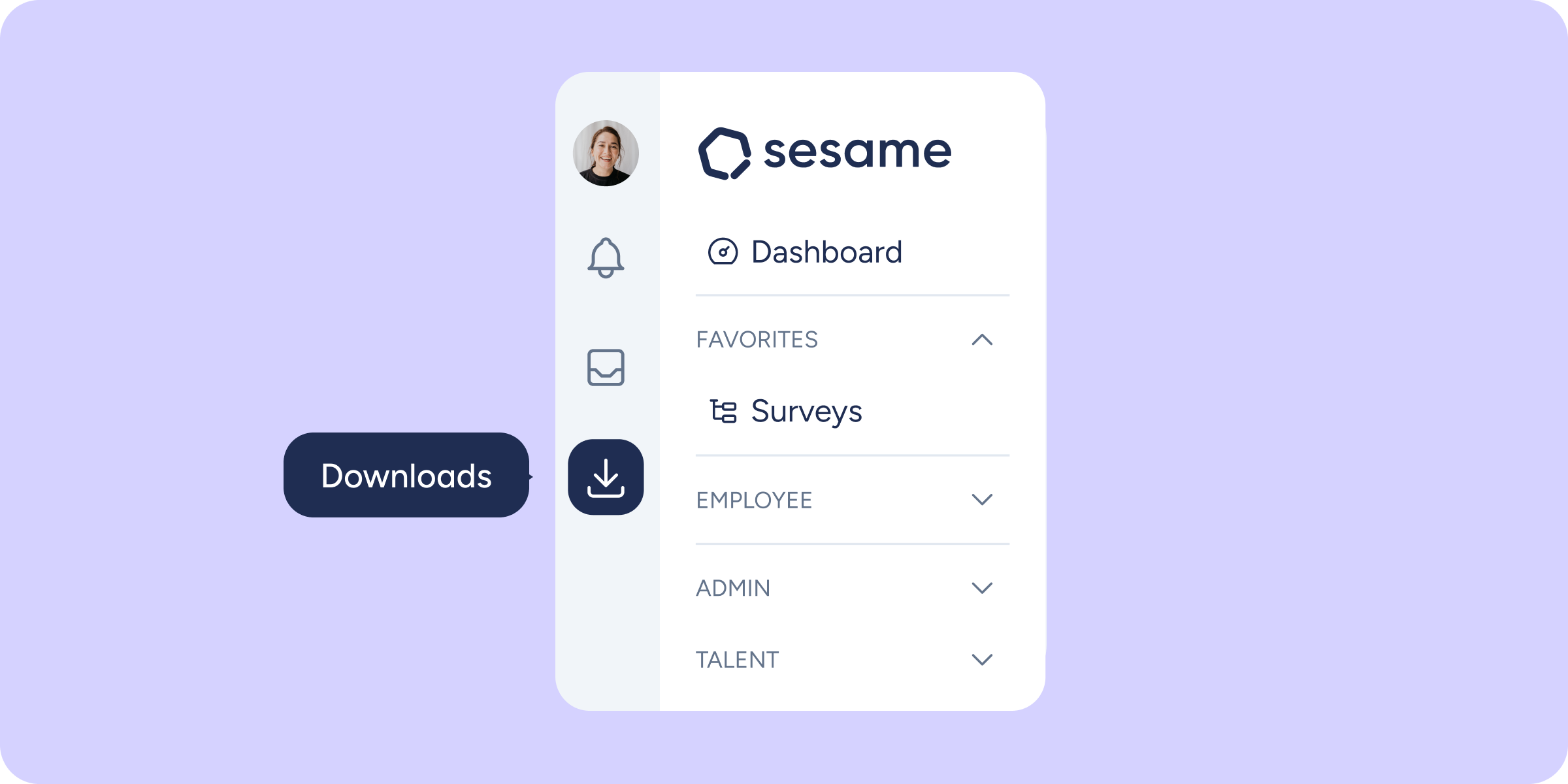
That changes today! We’re introducing a new section in the side menu, right below the “Requests” inbox: “Downloads”. A direct shortcut, visible to all users.
What’s changing exactly? 📥
- You’ll be able to access all your PDFs, CSVs, and XLSXs from the side menu, regardless of whether you generated them from “Clock ins/outs”, “Shifts”, or “Reports”, for example.
- The “Downloads” tab disappears from Reports. You’ll no longer need access to that module just to manage your files.
- The history, formats, generation statuses, and options to download or delete work exactly as before, just in a better location.
Please note ⚠️
- This change is exclusive to the desktop version (panel) and does not affect the mobile app.
- The content of “Downloads” still depends on the modules you have contracted: if you don’t have “Shifts”, you won’t see files exported from “Shifts”. What’s changing is where you look for them, not the files themselves.
The next time you generate a document in Sesame, look for it where it actually makes sense.
If you’d like to know more, you’ll find all the details in our Help Center.
Available on
Starter
Time
Professional
Enterprise
All updates
Go back to the list and discover the rest