LMS courses now sync with the Training module
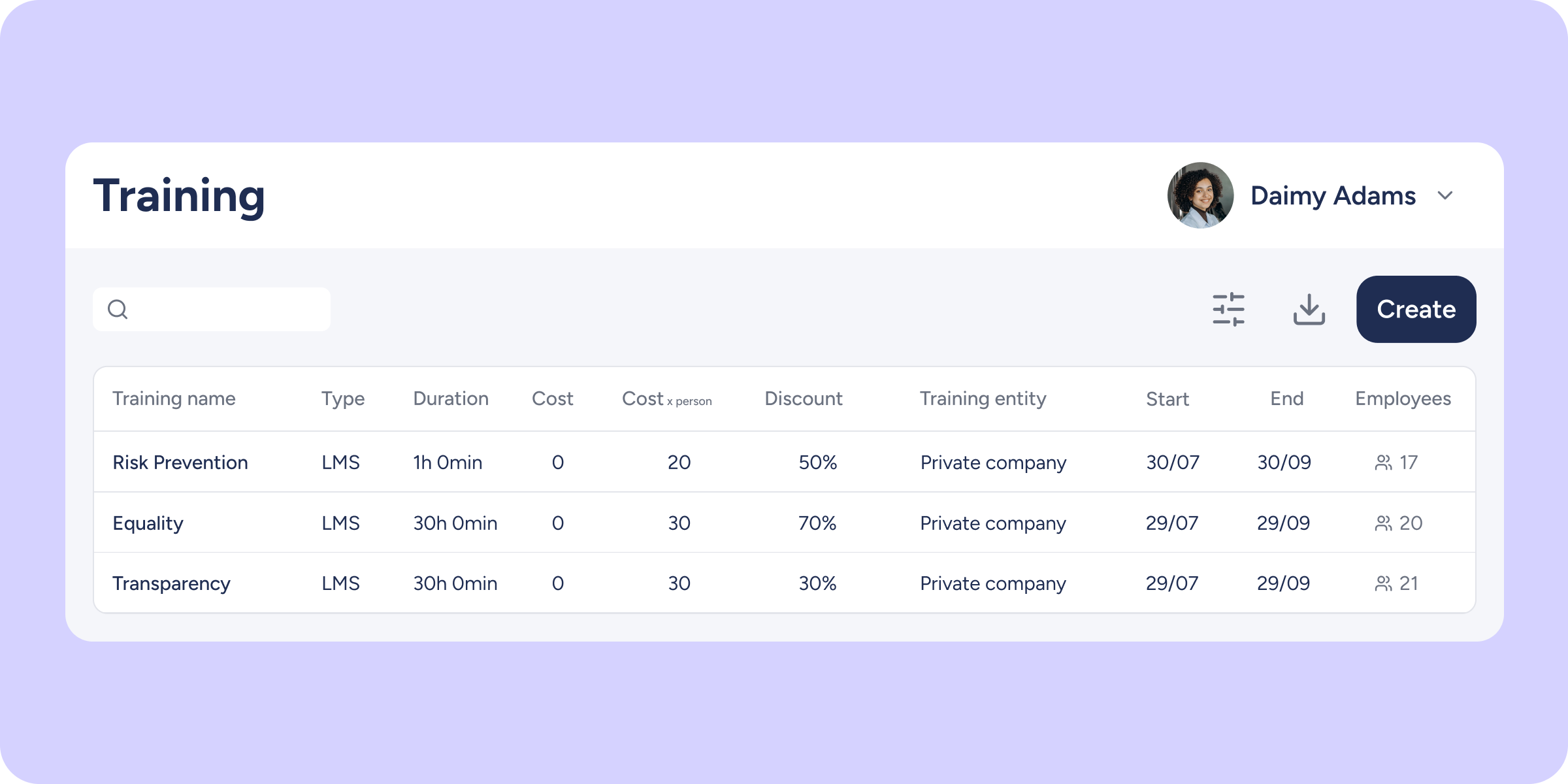

From now on, every time you create a course in the LMS, it will automatically sync with the Training module; no additional steps required.
What will you find now?
- Automatic sync: when you create a course in the LMS, the information is automatically synced with the Training module.
- Clear identification: in the Training module, courses synced from the LMS are identified with the LMS label in the Training type column.
- Visible in the employee profile: courses will also appear in the Training and Skills section of each enrolled employee’s profile.
- Read-only: courses synced from the LMS cannot be edited, assigned, unassigned, or deleted from the Training module. All management of these courses is carried out exclusively from the LMS.
We’re continuing to work on further integrating the LMS with Sesame to deliver a unified experience. Stay tuned for our upcoming updates!
Available on
Professional
Enterprise
Time
Starter
All updates
Go back to the list and discover the rest