Job positions and levels: structure your company’s roles in Sesame
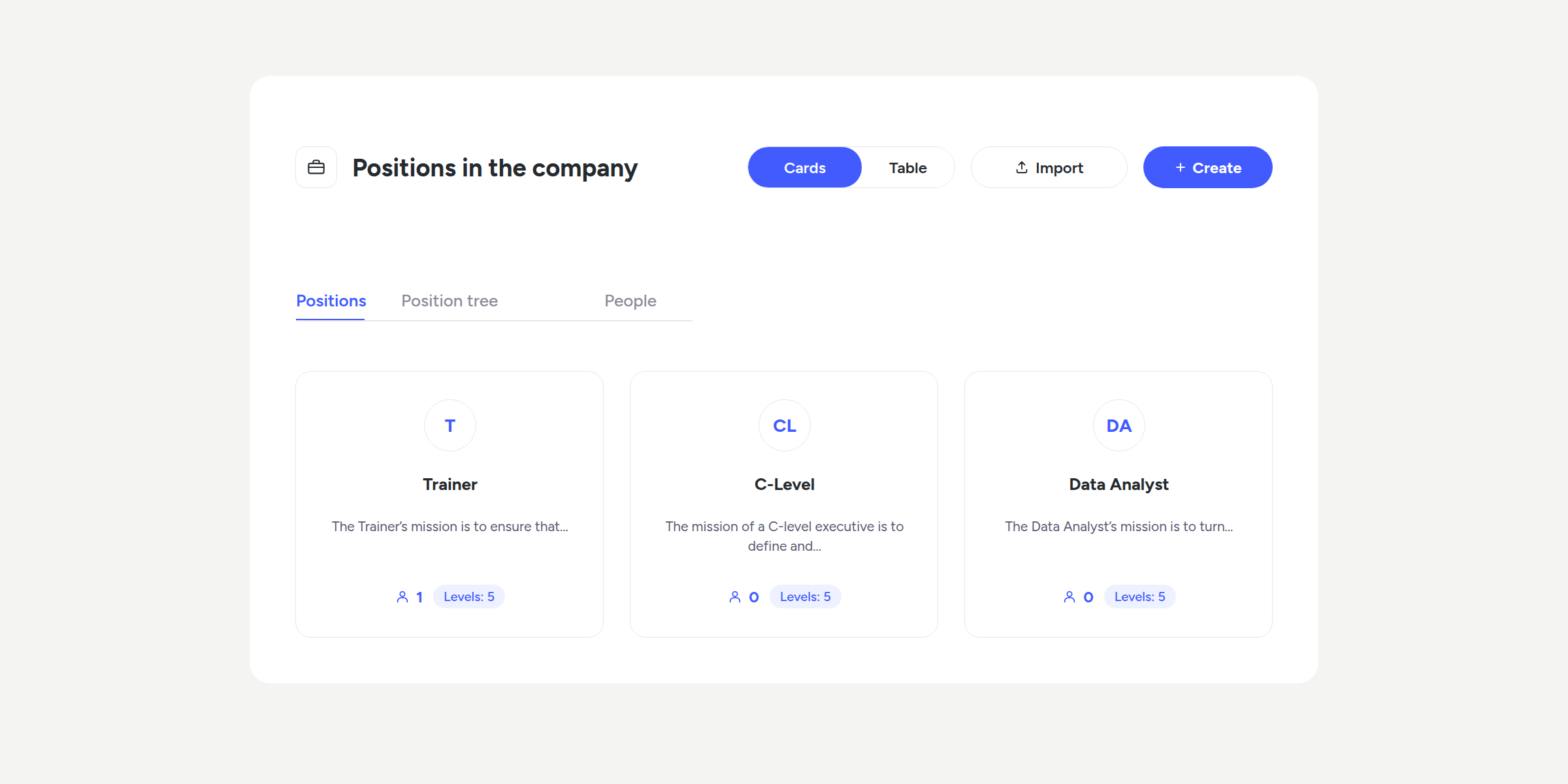

With the new “Positions in the company” section, you can create a complete roles catalogue and organise them by level, with their description, salary range, and reporting line.
Want to discover everything you can now do in “Positions in the company”? Here’s the full picture 👇🏻
A new way to organise your roles
From today, you’ll find the “Positions in the company” section in the side menu, within Company, with three new views:
- Job positions: view and manage your roles catalogue.
- Position tree: visualise how job positions and levels relate to each other.
- People: see who occupies each level and compare their salary against the defined range.
Job positions: create and organise your roles catalogue
View your company’s job positions in card or table format and quickly find what you’re looking for: mark your favourites and identify those that still have incomplete configuration.
When creating a job position, our assistant will guide you in 2 steps:
- Define the job position. Add its name and description, or let Sesame AI generate it for you.
- Define its levels. Create the levels for the job position (for example, L1, L2, or LEAD) and set the description, salary range, and reporting line for each one. You can also generate this content with AI.
Position tree: visualise your structure
Get a clear overview of how your company’s job positions and levels are organised, from the highest-responsibility roles down to the last levels.
This section shows the relationship between roles, not between people. You can search by range, expand or collapse levels, and view their occupants, salary range, and reporting line directly from the tree.
People: check the salaries at each level
See who occupies each level and compare their salary against the range you have defined. Sesame indicates whether they are within range or whether there is a deviation.
You can also assign people to each level from a guided flow. If someone already had a different job position or level, Sesame reassigns them automatically.
What happens to the job position each employee already had?
The “Positions in the company” field in Work data can be assigned from the employee’s profile, but new job positions cannot be created from there; that can only be done from “Positions in the company”. From now on, when you assign a job position and level to a person, their profile will be updated automatically.
The job positions you already had registered in profiles are automatically transferred to the new catalogue, so you will not lose any information you already had. This way, each person’s job position is connected to your company’s role structure.
Find out more in our Help Center.