We’ve added a new setting to help you properly manage your candidates’ personal data, ensuring compliance with the applicable data protection laws in your country or region.
With this feature, you can set the validity period of consent, define a data deletion date, and activate automatic notifications, all with the goal of protecting sensitive information and meeting legal requirements.
Important! Before you start configuring this feature, you need to upload your privacy policy to the employment portal. You can do this in two ways:
- By entering the URL if it’s hosted on another website.
- By uploading a file that will be visible to all candidates.
Where is it configured?
Recruitment >> Configuration (dropdown) >> Data management >> Settings.
What can you do from this view?
- Specify your privacy policy.
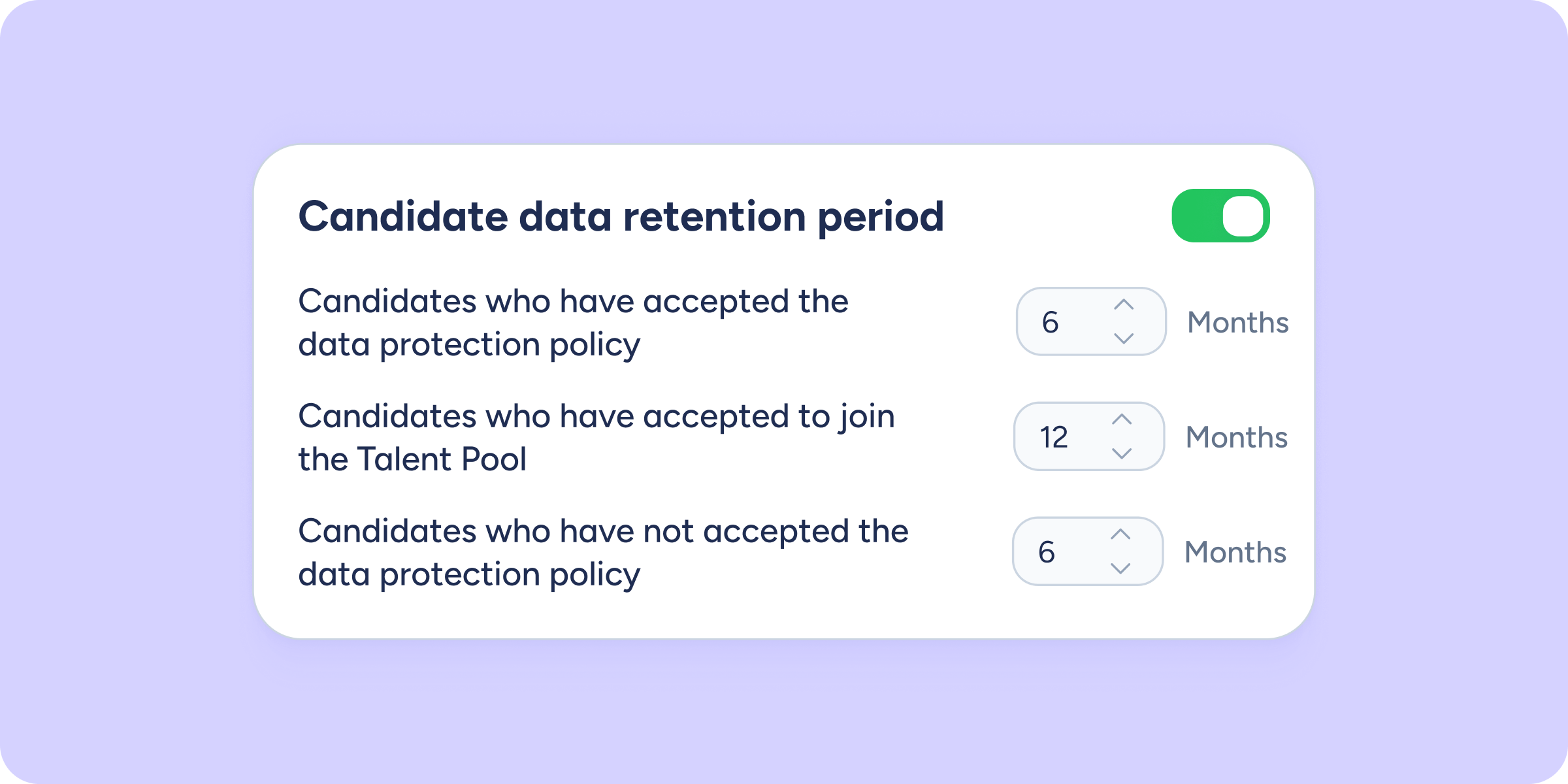
- Define timeframes related to:
- Data retention periods for job vacancies and the Talent Pool.
- Consent notifications, indicating how many days before expiration an email will be sent to renew consent.
- Automatic data deletion, specifying how many days after expiration the data will be permanently deleted.
- Data retention periods for job vacancies and the Talent Pool.
You can apply these rules both to candidates who have accepted your privacy policy and to those who haven’t, as well as to those who have given consent to be part of the Talent Pool.
Everything in one place
In the “Candidate consent” tab, you’ll see the consent status for each person: valid, expired, or not accepted. You’ll also be able to check whether the renewal notice has been accepted, is pending, or hasn’t been sent.
In addition, within each candidate’s profile, you’ll see the current consent status and whether the corresponding email to accept it has been sent.