Archive what you no longer need and manage multiple evaluations and surveys at the same time

As completed evaluations and surveys, or drafts that were never published, accumulate, the main list can become difficult to manage. With this update, you can archive them to keep the active view tidier without losing any data, and apply the same action to multiple items at once.
What will you find now?
“Archive” option: sends any evaluation or survey with a Completed or Draft status to the “Archived” folder. The questionnaire and results will be retained so you can access them whenever you need.
Archived folder: you’ll find it next to the “Create evaluation/survey” button. From there, you can preview the questionnaire, view the results, unarchive, or permanently delete.
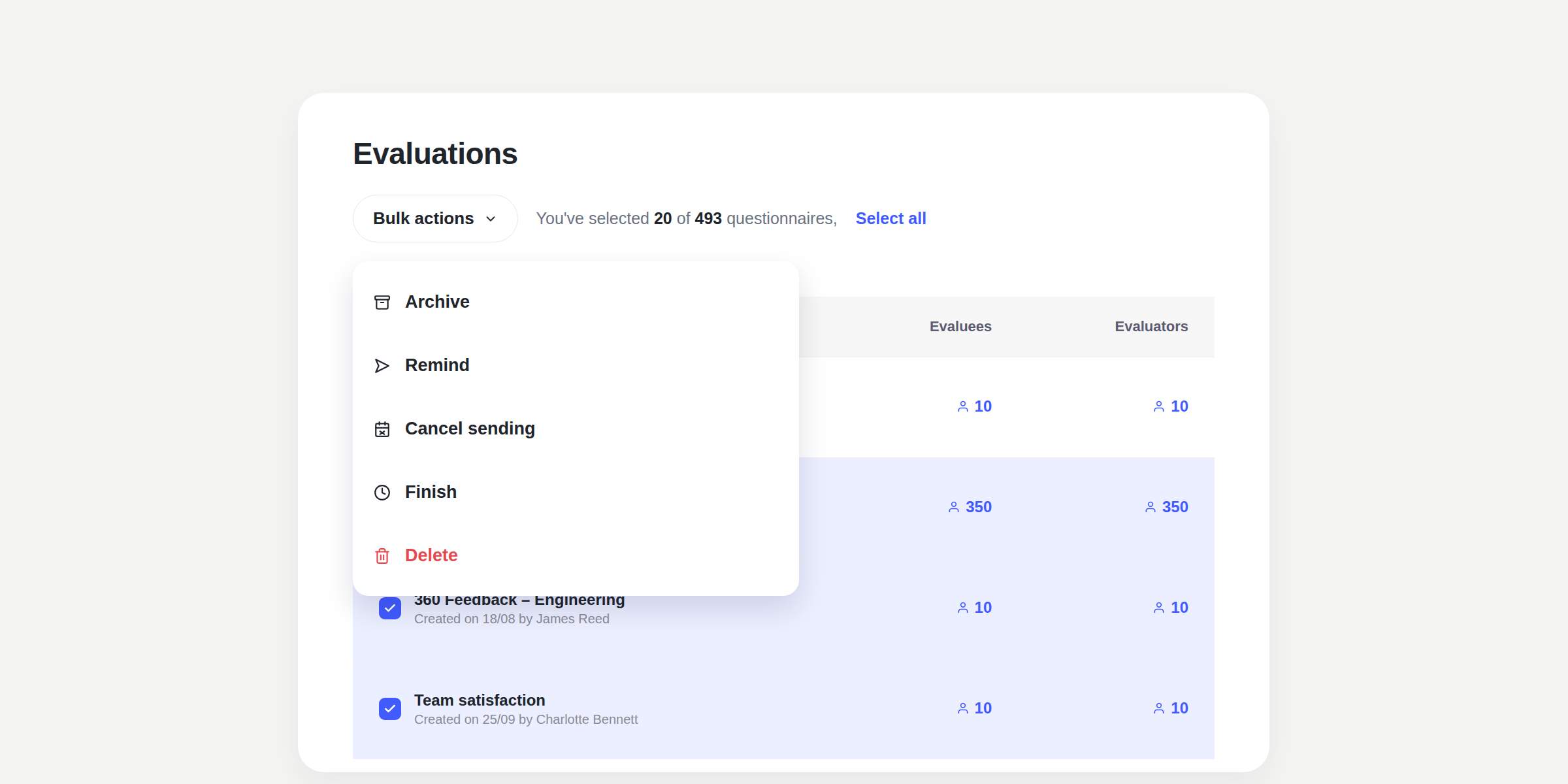
Multiple selection: select several items from the list at the same time, even if they are on different pages within the same filter.
Bulk actions: with a selection active, you can apply Remind, Cancel sending, Finish, Delete, or Archive to all compatible items in a single action.
How do I know which action I can apply?
Each bulk action will only be applied to the selected items whose status is compatible:
Remind and Finish: only for active evaluations or surveys.
Cancel sending: only for scheduled evaluations or surveys.
Delete: for completed, scheduled, or draft evaluations or surveys.
Archive: for completed or draft evaluations or surveys.
If none of the selected items are compatible with an action, it will appear disabled.
Archive the evaluations and surveys you no longer need to keep visible and maintain more organised lists.