Add employee profile data to your Company results report
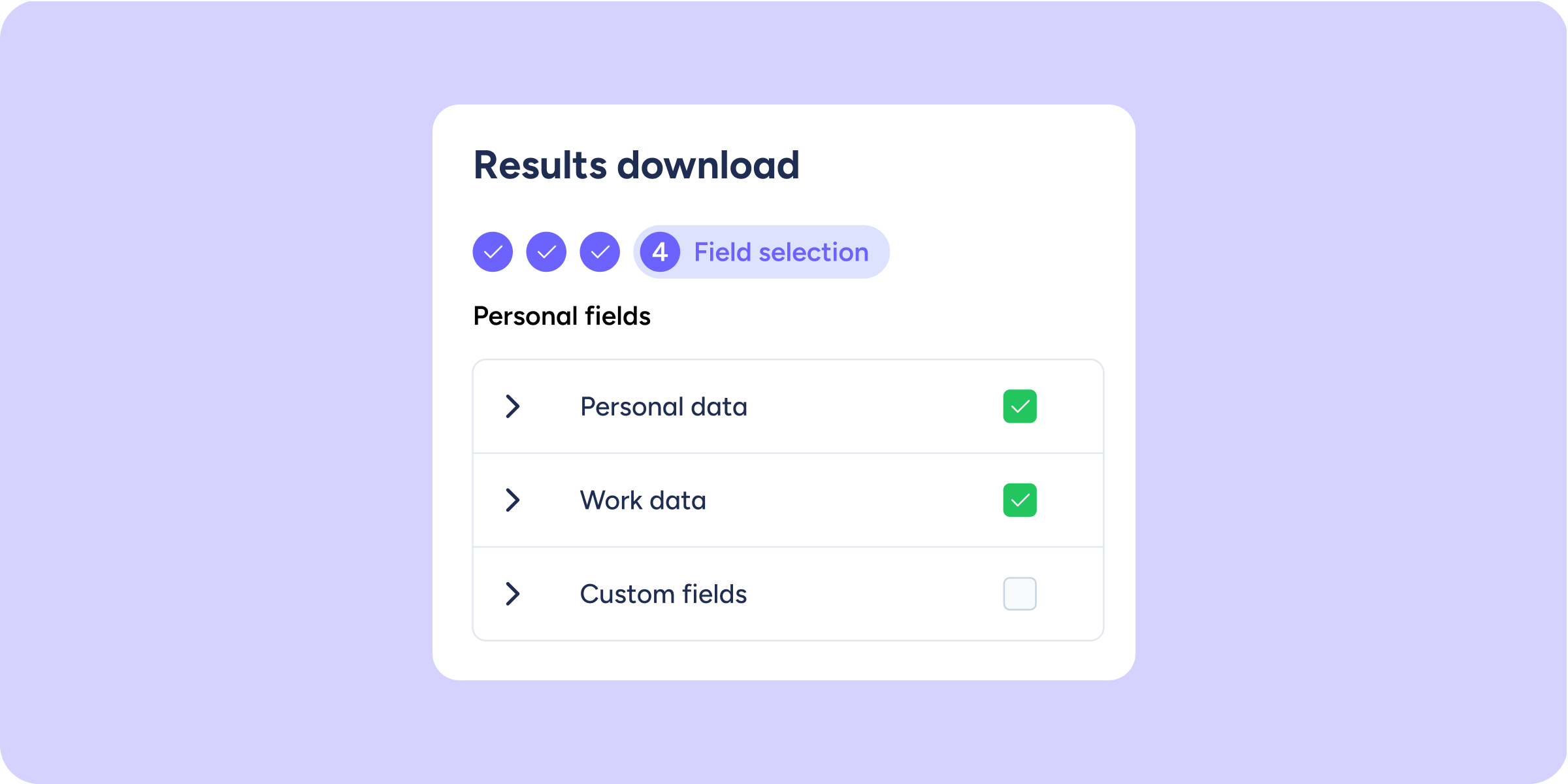

We’ve added a new step at the end of the Company results download process. You can now select which profile data from the evaluated or surveyed employees you want to include in the report, without leaving Sesame or manually combining files.
How does it work?
When you select Excel or CSV as the export format, you’ll see a fourth step: “Field selection”.
From there, you’ll be able to:
- Choose which data to include: personal data, such as identity document or gender; work data; or custom profile fields configured by your company.
- See only the information you have access to: the available fields automatically adjust to your role’s access, with no additional configuration required.
- Use it in reports with identified individuals: this step appears when the report includes individual people. For example, it will not be available if you export a section such as the Heat Map by department.
This step is optional. If you don’t select any additional fields, the report will download exactly as before.
Go to any evaluation or survey, start the download in Excel or CSV format, and explore this new step. You can now export your panel analysis with all the context you need 🚀.
Available on
Starter
Time
Professional
Enterprise
All updates
Go back to the list and discover the rest