Mention your team in candidate notes
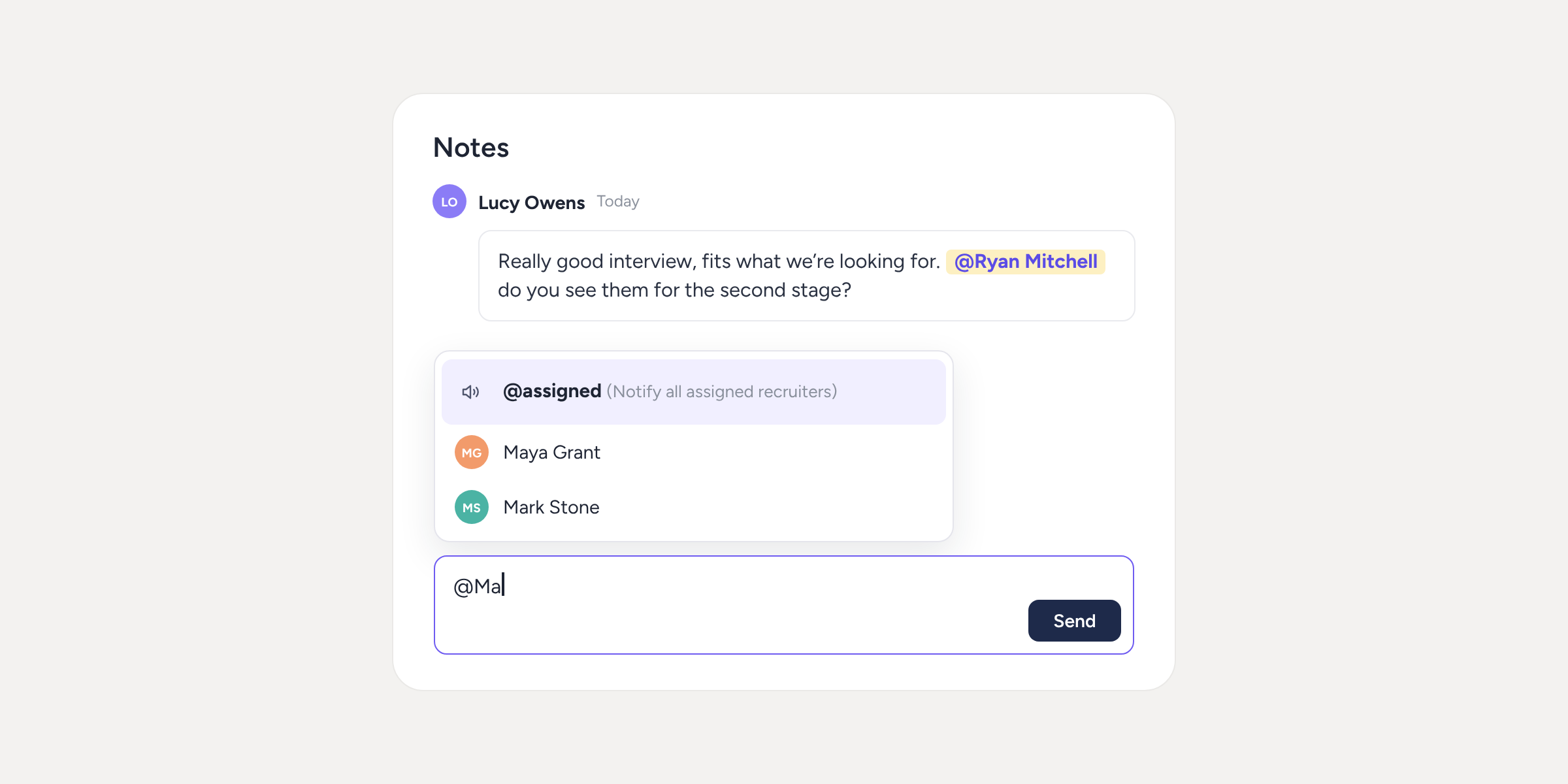

If you’re a recruiter, you know the drill: you leave a note on a candidate’s profile and then have to message someone on Slack or by email so they read it. From today, just type @ and your colleague’s name. Sesame lets them know for you.
What can you do with mentions?
- Notify whoever you need. Type @ in a note and search for your colleague’s name. The list filters as you type and only shows people with access to the vacancy.
- Notify the whole team at once. With @assigned, the vacancy’s lead recruiter and secondary recruiters receive the notification. No more tagging people one by one.
- Mention several people in the same note.
- Know when you’re needed. You’ll get a notification in Sesame’s notification bell that takes you straight to the candidate. On their profile, you’ll see the “Unread mentions” label so you can jump to the first one pending.
A tip from one recruiter to another
When you finish an interview, leave your feedback in the note and mention whoever needs to give the go-ahead. Their reply stays on the candidate’s profile, alongside the rest of the notes, so a month from now no one will have to dig out that email.
Please note
- Mentioning someone doesn’t give them access to the vacancy. If the person you’re looking for doesn’t appear in the list, add them as a recruiter for the vacancy and go back to the note: your text will still be there, just as you left it.
- Available in the web version of Sesame, including from your mobile browser. The notification arrives in the notifications panel, not by email.
Find out how to use them step by step in our Help Centre. Start mentioning your team!