Filter Workplace climate and eNPS results by line manager

Until now, you could segment your Workplace climate and eNPS survey results by Workplace and Department. However, a department can have several managers, and the same person can lead teams across different areas.
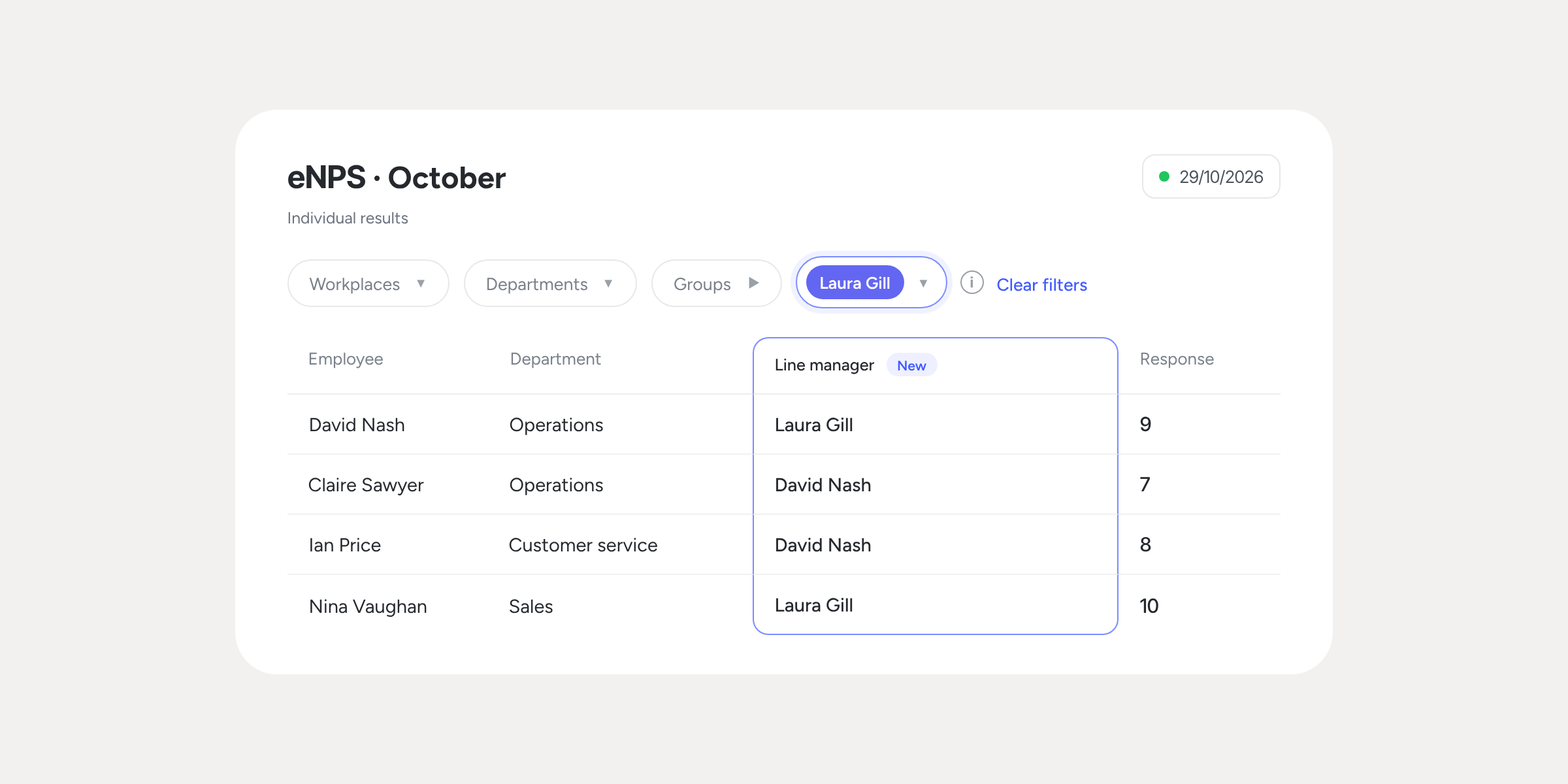
That’s why we’ve added the Line manager filter: select a person and view the responses from their entire team, including the people who report to them at different levels of the org chart.
What can you do with the Line manager filter?
- View each team’s results: select a manager and the charts and table will show only the responses from the people who report to them, regardless of their level in the org chart.
- See who each person’s line manager is: the Individual results table includes the new Line manager column, so you can check it without leaving the screen.
- Analyse results based on the right org chart: in closed surveys, the filter uses the org chart from the closing date. If someone changes line manager afterwards, the results of that survey don’t change.
- Dig deeper into your analysis: combine this filter with Workplace, Department, or Group, and download the report with the filters applied.
Where can I find it?
Go to Talent >> Surveys >> open your Workplace climate or eNPS survey >> View results >> Individual results >> Line manager.
💡 Please note
- The filter is available for Workplace climate and eNPS surveys, in the Individual results tab.
- You need to have the Org chart module installed and managers set up.
- Anonymity and access work exactly as before. In anonymous surveys, if the filtered group has fewer than 6 responses, the results won’t be shown.
- In surveys that are still open or that closed before this improvement was launched, the filter will use the current org chart.
Discover how each team responds in your next Workplace climate or eNPS survey. Check out the step-by-step guide in our Help Center.