Work data changes: your employees request, you approve

A few weeks ago, we told you that your employees could now request changes to their personal data even if their profile was locked, but the piece that comes up most at the end of every month was still missing: bank account details and tax withholding. Today, we’re completing the picture ✨. Here’s everything you need to know.
What you can do 🧩
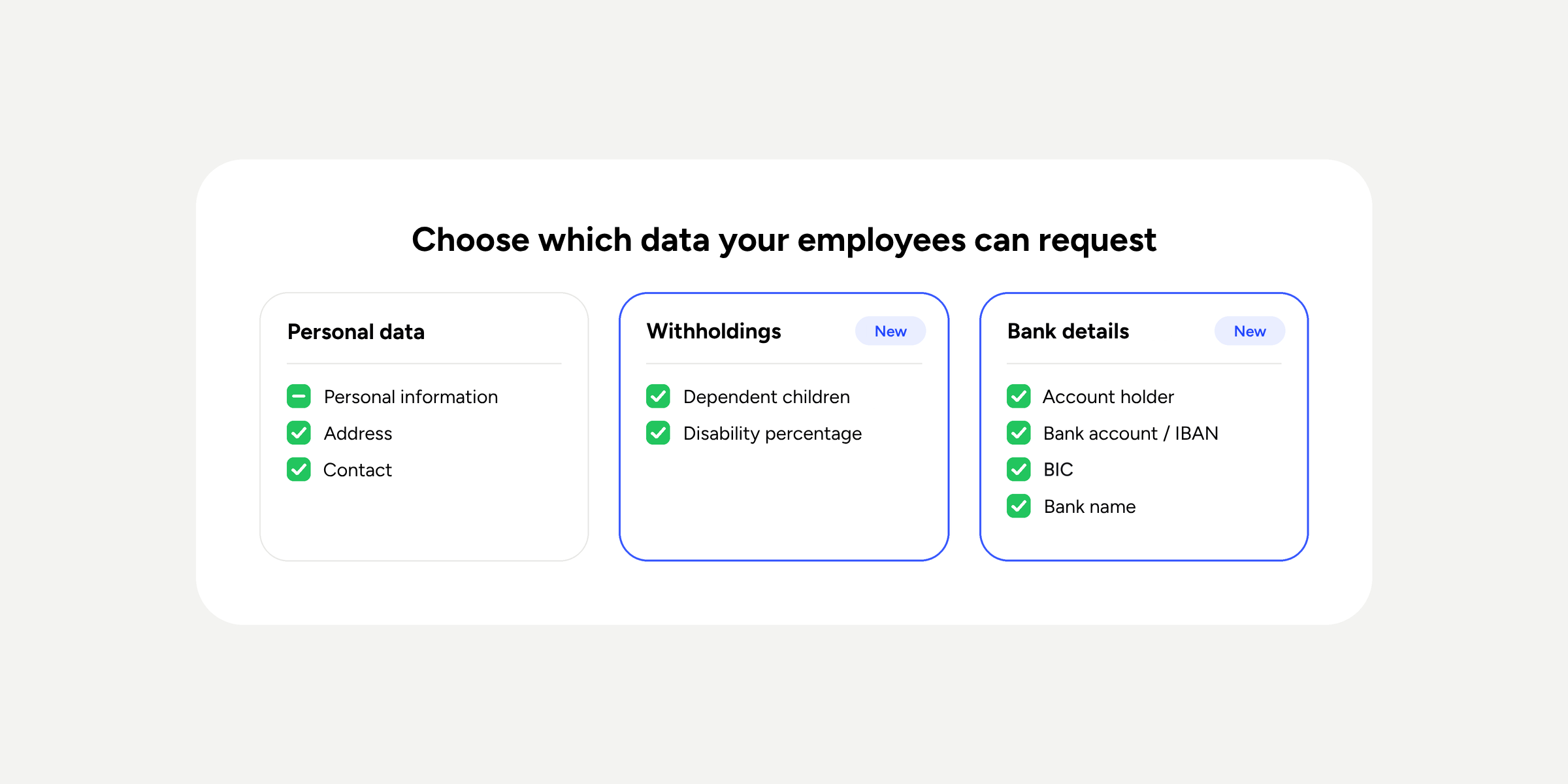
- Manage work data changes. Employees with a locked profile can request changes to their Tax withholding details (number of dependent children and disability percentage) and Banking details (account holder, IBAN, BIC, and bank), alongside their personal data.
- Choose which changes can be requested. As an administrator, you decide field by field which Tax withholding and Banking details your employees can request changes to. They are all enabled by default.
- Approve with full context. The approver sees each change as “previous value → new value” and, once approved, the profile updates automatically. No copying and pasting.
Where to find it 📍
- Administrator: Configuration >> Automations >> User access. Open the field configuration prompt and you’ll see the two new groups.
- Employee: My profile >> Personal data or Work data >> change request notice.
Please note ⚠️
- Requests are approved or rejected in full. You can’t approve some fields and reject others.
- Data is saved exactly as the employee enters it, so it’s worth checking the bank account number and BIC before approving.
- If the approver doesn’t have access to view work data, the values will be hidden with asterisks and the message “You don’t have access to this data”.
Discover how this improvement can save your HR team time. You’ll find all the details in our Help Center.