Log expenses in any currency, without manual conversions

Until now, when logging a manual expense, you could only use the currency configured by your company. If you made a payment in a different currency, you had to calculate the conversion yourself before logging the amount.
You can now log expenses in different currencies and let Sesame handle the conversion automatically.
What’s new?
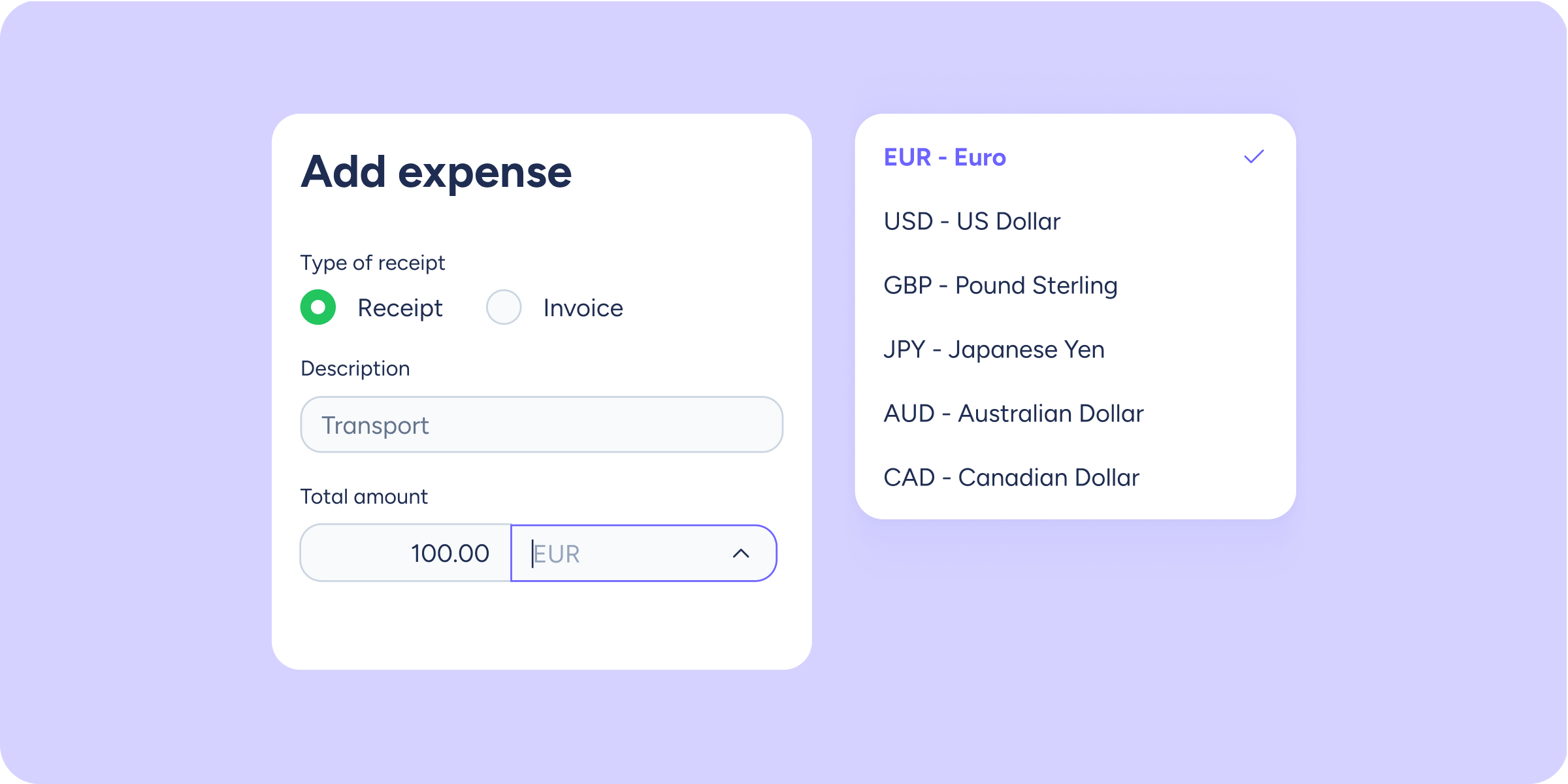
Select the currency when logging an expense: when creating a manual expense, you can choose the currency in which you made the payment, both from the app and from the web panel.
Automatic conversion: once you enter the amount and select the currency, Sesame will automatically calculate its equivalent in your company’s default currency.
This way, you can log your expenses more easily and reduce errors caused by manual conversions.
How does it work?
Go to Expenses and create a new manual expense.
Enter the amount.
Select the currency in which you made the payment.
Sesame will automatically display the equivalent in your company’s configured currency.
Save the expense.
Where do I find it?
App: Expenses >> New expense >> Currency field.
Web panel: Expenses >> New manual expense >> Currency field.