Share your LMS courses with a public URL
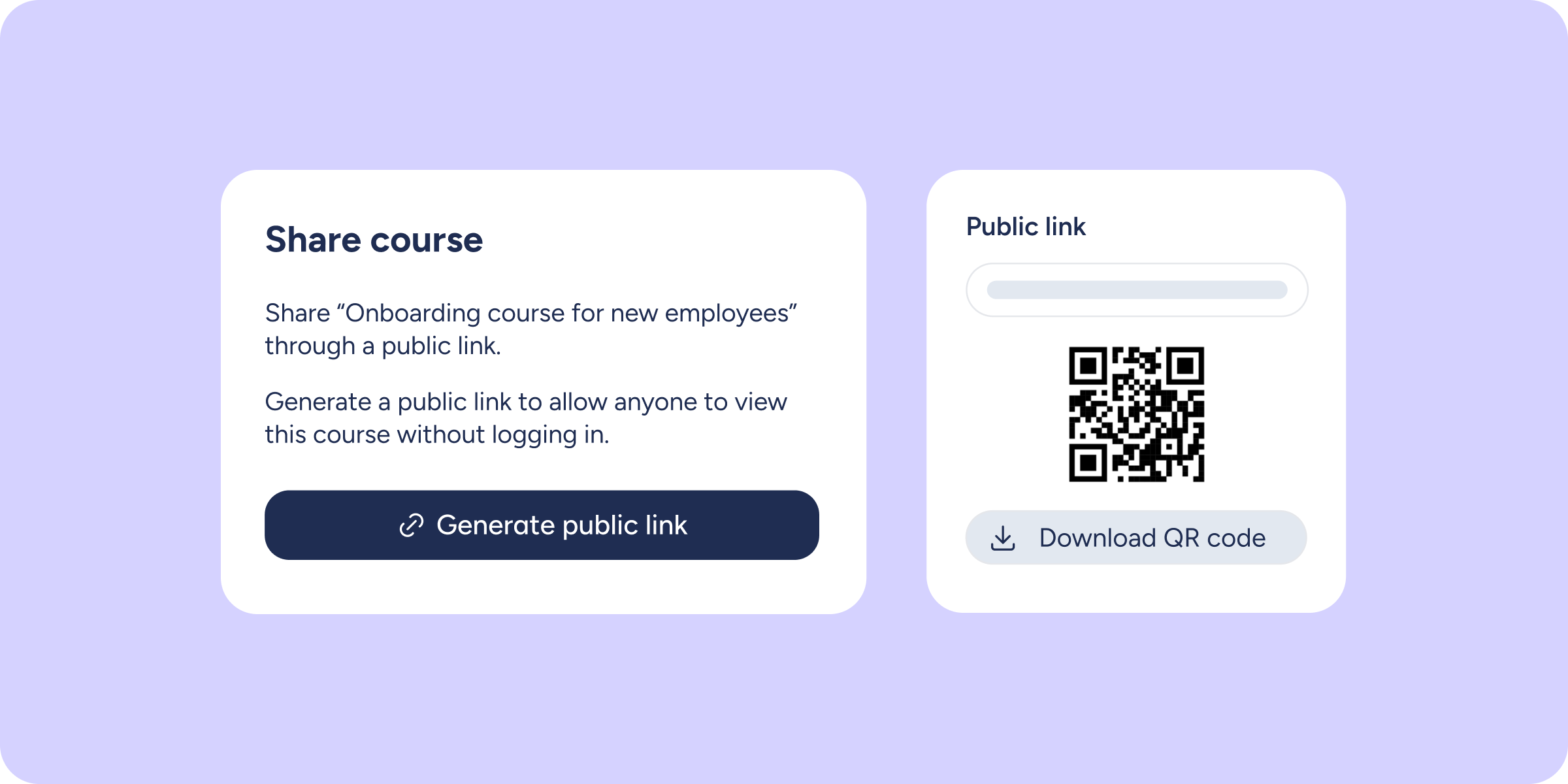

You can now share any course from your LMS via a public URL, so others can view it without needing to log in to Sesame.
What will you find now?
From any published course’s page you’ll find new options for sharing it easily:
“Share” button: generates a unique public URL for the course and a QR code to share it at events, in printed materials, or through any other channel.
Optional password: protect access to the link if you want to share the course with a specific group of people only.
Disable link: stop sharing the course at any time without deleting it or affecting its content.
Import to Sesame: LMS administrators from other accounts can import the course in a single click and create a fully editable copy in their own platform.
“Imported courses” tab: imported courses are displayed in a separate tab to make them easy to distinguish from courses created in your organisation.
What will people who access the link be able to see?
Those who open the URL will be able to explore the course content, including its structure, lessons, and materials, exactly as shown in the administrator’s preview view.
However, they will not be able to edit the course, enrol, complete assessments, or obtain certificates. The link works as a public view of the content, ideal for sharing or reusing it.
Find out more: check out all the details about this feature in our Help Center.